

Zmiana kolejności pól w Collection
Zmiana kolejności pól wpływa na ich wyświetlanie na stronach poszczególnych elementów i ustawia domyślną kolejność dla wszystkich nowych widoków.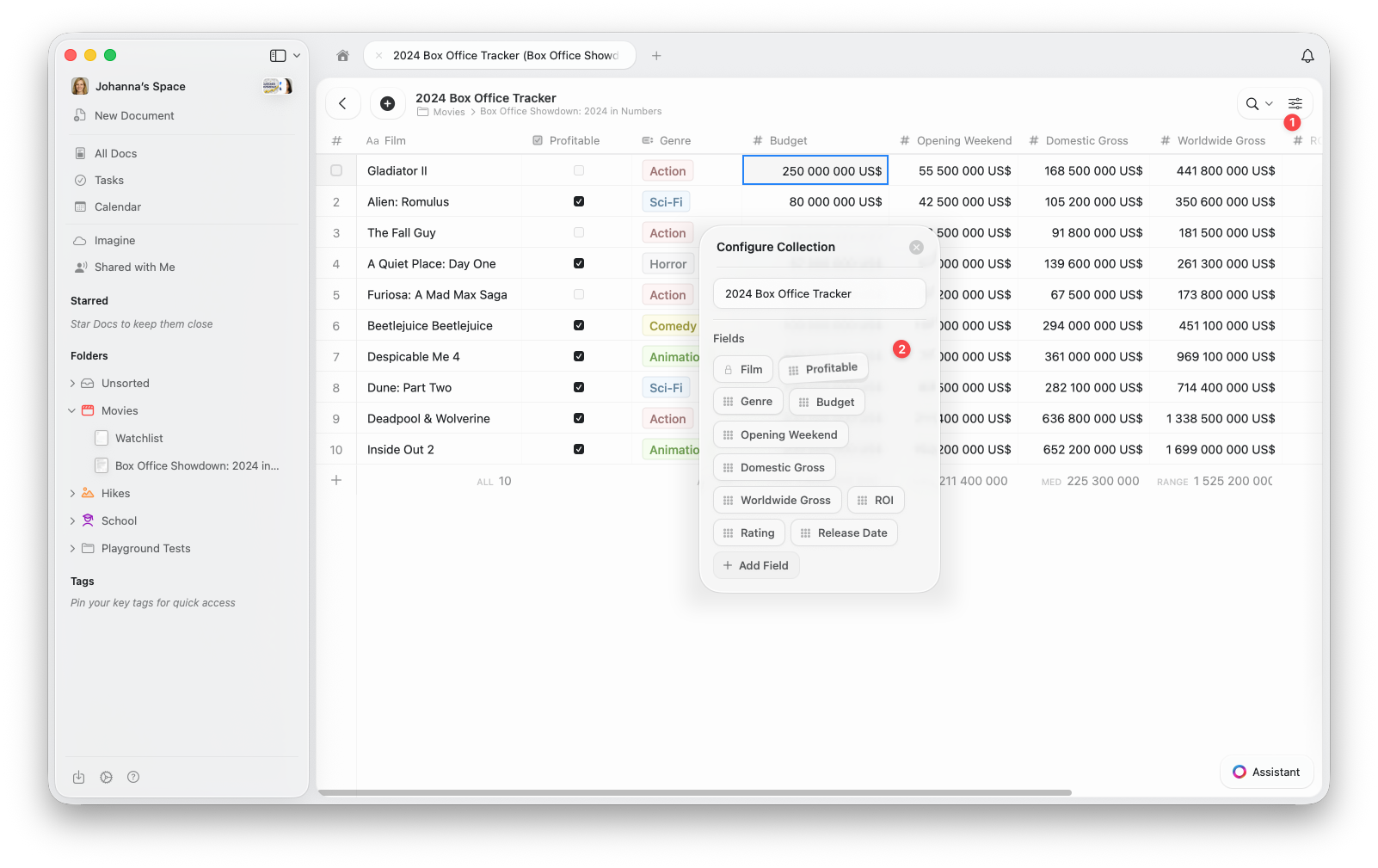
1
Otwórz menu konfiguracji (⋯) u góry Collection
2
Wybierz Konfiguruj Collection z menu
3
W oknie Konfiguracja Collection przeciągnij i upuść pola, aby zmienić ich kolejność. Tutaj możesz też dodawać nowe pola lub usuwać istniejące.
Zmiana kolejności kolumn w widoku
Możesz również zmienić układ kolumn w konkretnym widoku. Daje to elastyczność w dostosowywaniu tego, co jest widoczne i jak jest rozmieszczone, bez zmiany domyślnej kolejności pól w Collection.1
Otwórz menu konfiguracji (⋯)
2
Wybierz Pokaż/Ukryj pola
3
Przeciągnij i upuść pola, aby zmienić kolejność kolumn według uznania. Tutaj możesz też przełączać, które pola mają być wyświetlane w widoku.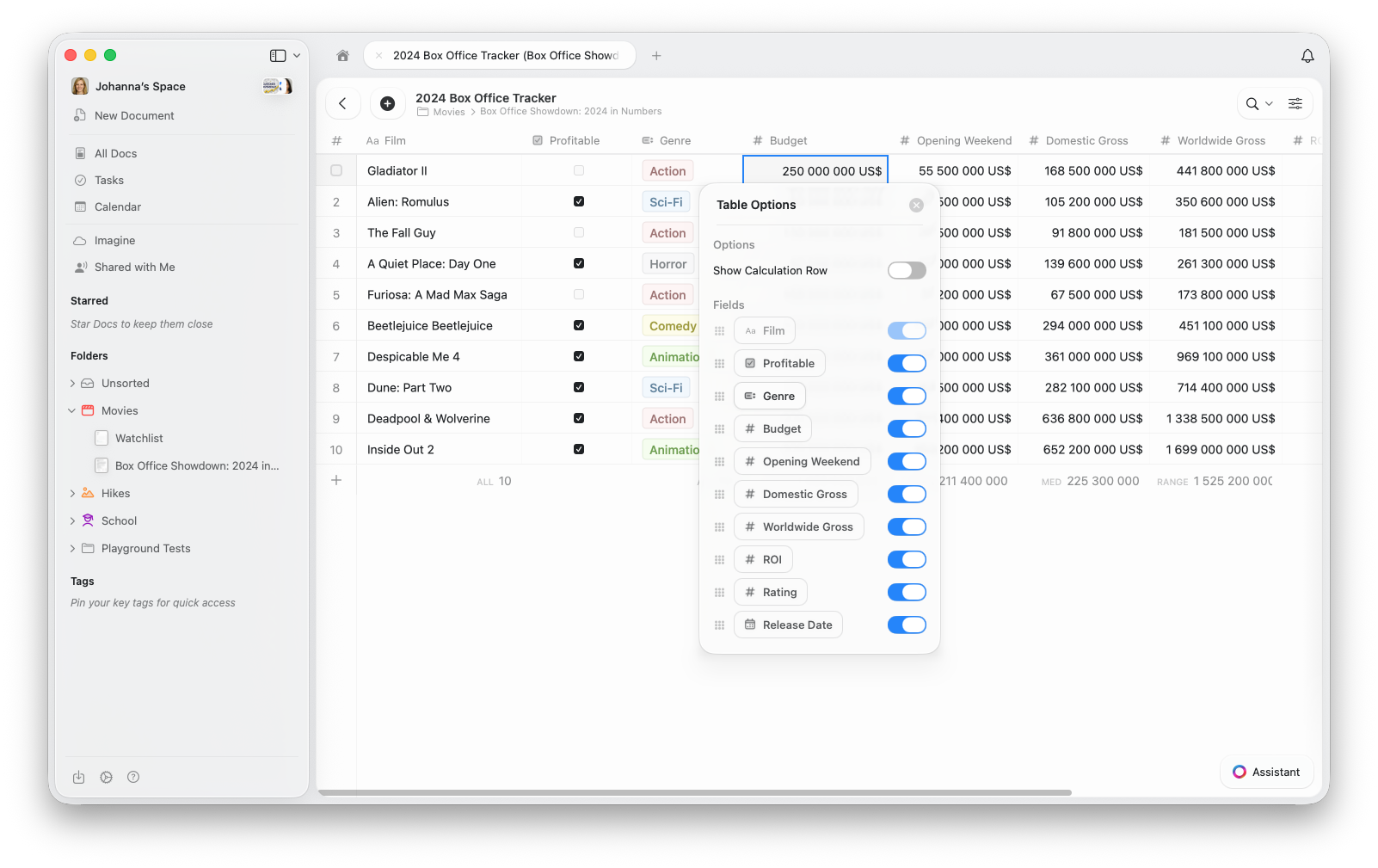
W widoku galerii widoczność pól kontroluje, które właściwości pojawiają się na każdej karcie. Kolejność w Pokaż/Ukryj pola określa kolejność wyświetlania na każdej karcie.
Powiązane artykuły
Widoki Collection
Dowiedz się o sortowaniu, filtrowaniu i grupowaniu w widokach Collection
Widok galerii
Wyświetl swoją Collection jako wizualne karty z podglądem obrazów
Collections
Dowiedz się o Collections w Craft i typach pól