이 기능은 macOS 및 iOS에서만 사용할 수 있습니다. 현재 Web 및 Windows에서는 지원되지 않습니다.
사용 가능한 제공업체
연결된 제공업체를 사용하면 해당 제공업체의 API를 통해 대화가 처리됩니다. Craft AI 사용량 할당량에는 영향을 미치지 않습니다.
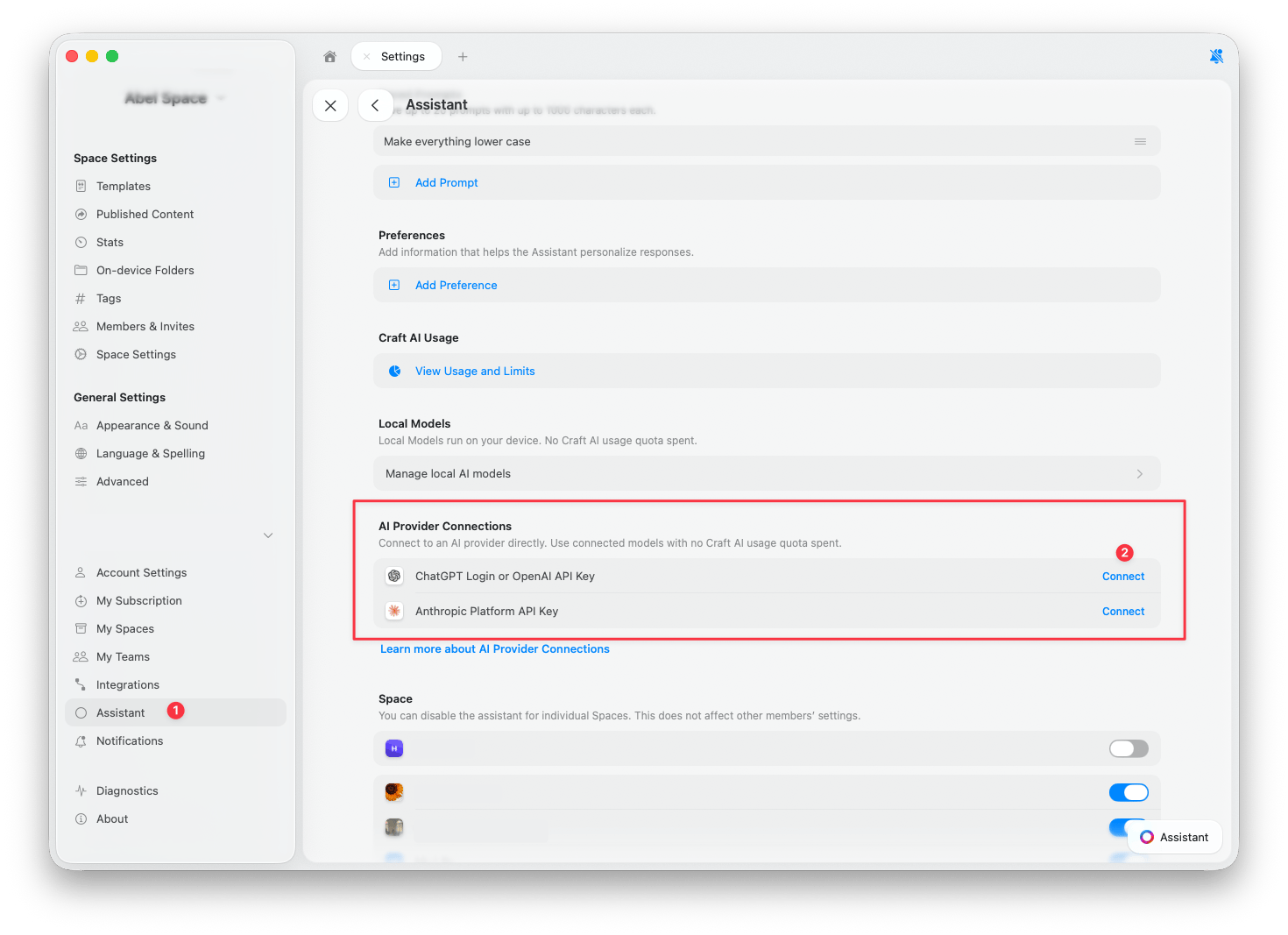
제공업체 연결
1
설정 열기
설정 > 어시스턴트로 이동합니다.
2
AI 제공업체 연결 항목 찾기
AI 제공업체 연결 섹션으로 스크롤합니다.
3
연결 탭하기
추가할 제공업체 옆의 연결을 탭합니다.
4
활성 제공업체 확인
Assistant 패널을 열고 새 제공업체가 선택되어 있는지 확인합니다. 새 대화는 연결된 제공업체를 자동으로 사용하지만, 이미 열려 있던 채팅은 여전히 Craft를 사용하고 있을 수 있습니다. 변경 방법은 제공업체 전환을 참고하세요.
클릭하여 확대
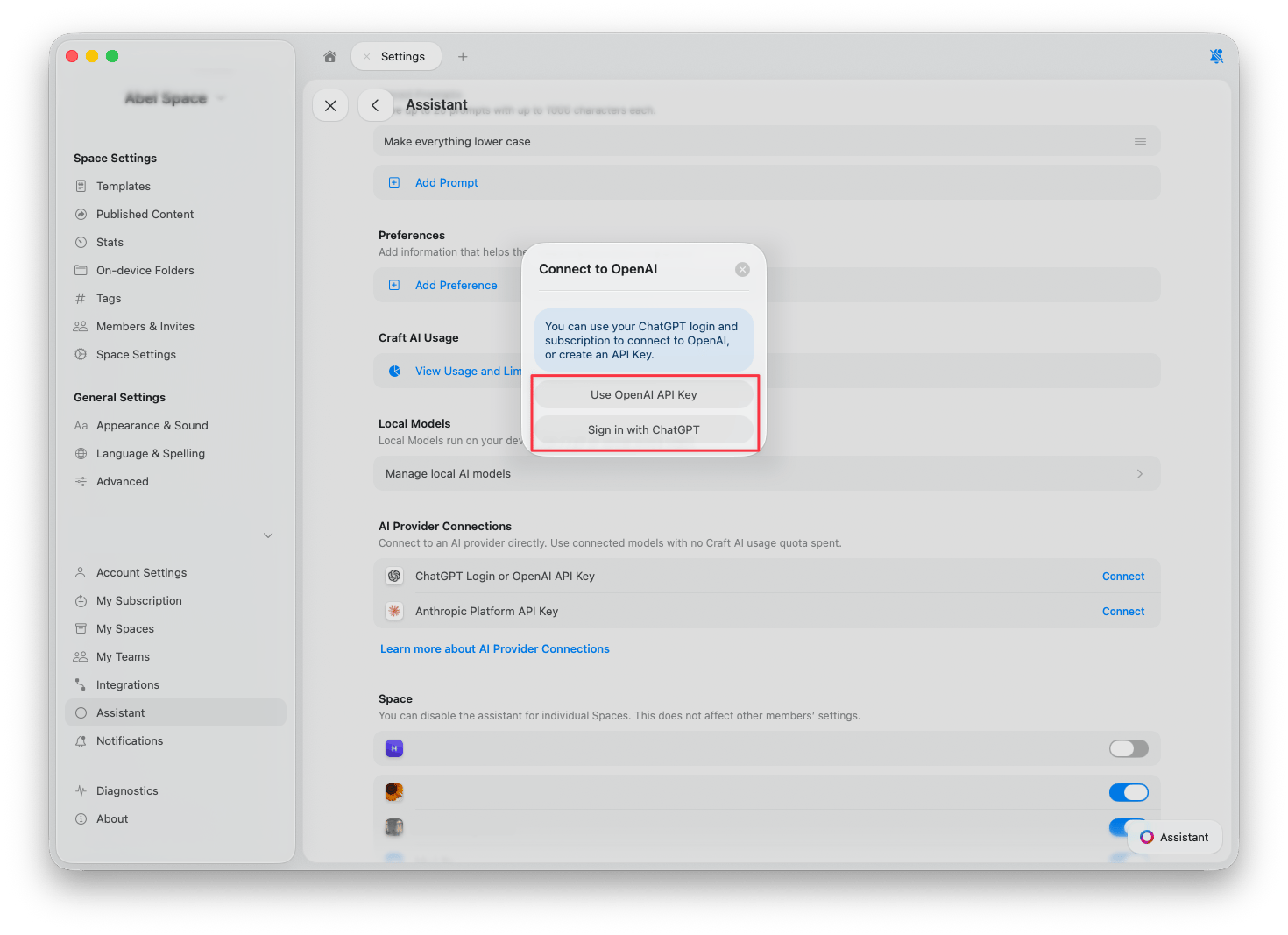
OpenAI
OpenAI를 연결하는 방법은 두 가지입니다.- ChatGPT로 로그인: 기존 ChatGPT 계정과 구독을 사용합니다. API 키가 필요 없습니다.
- OpenAI API 키 사용: OpenAI Platform에서 API 키를 붙여넣습니다. 사용량은 OpenAI 계정으로 청구됩니다.
Anthropic
Anthropic을 연결하려면 Anthropic Console에서 API 키를 붙여넣습니다. 사용량은 Anthropic 계정으로 청구됩니다.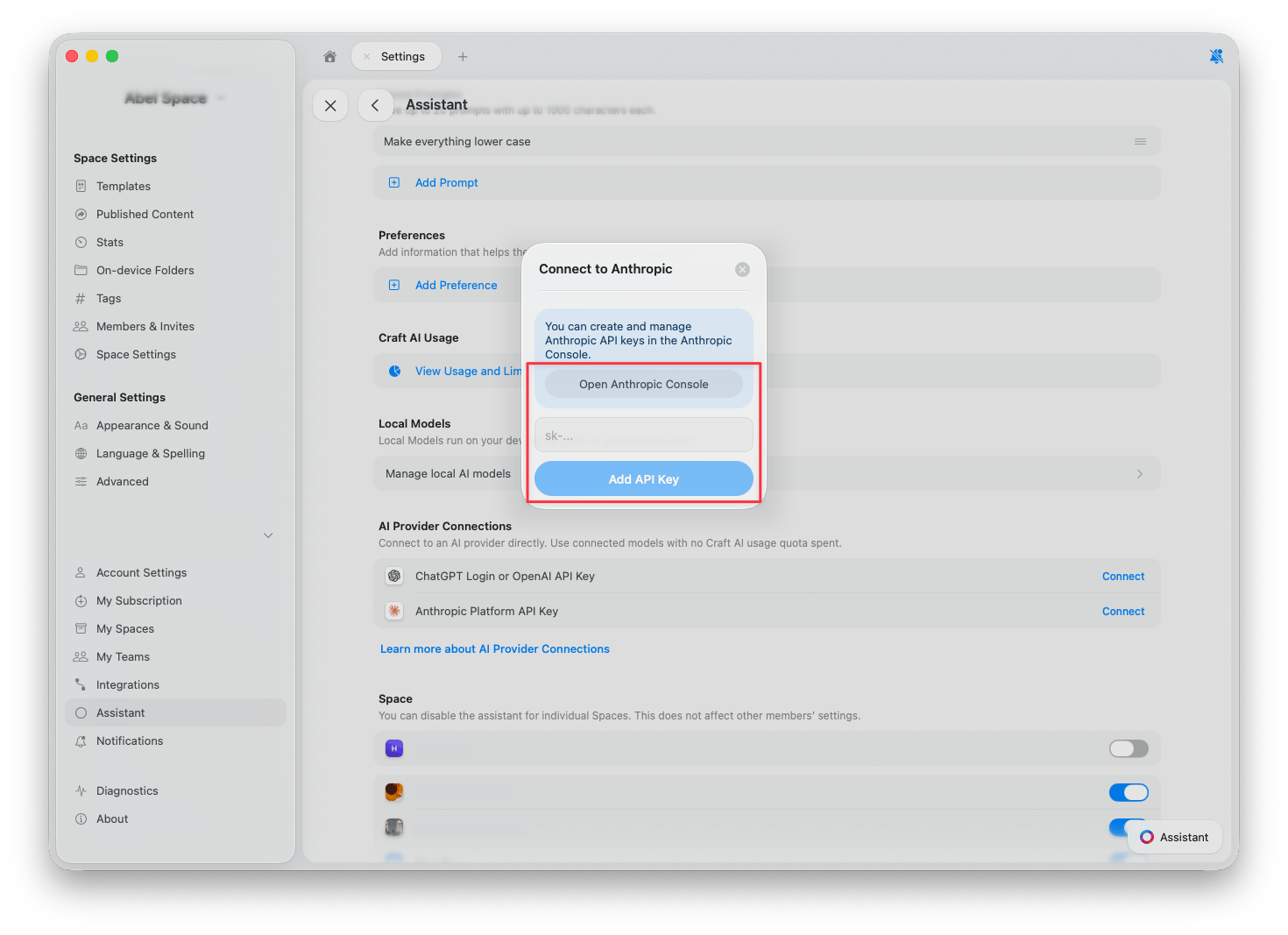
Setapp
Setapp을 통해 Craft를 사용하는 경우 별도의 설정이 필요 없습니다. Setapp이 Assistant에서 제공업체로 자동 표시되며, 대화 시 Craft AI 크레딧 대신 Setapp AI 크레딧이 사용됩니다. 선택하려면:1
모델 목록 열기
Assistant 패널에서 입력 필드 아래의 어시스턴트 버튼을 탭한 후 모델을 선택합니다. Setapp을 통해 사용할 수 있는 모델이 목록에 표시됩니다. 목록 하단의 구성을 탭합니다.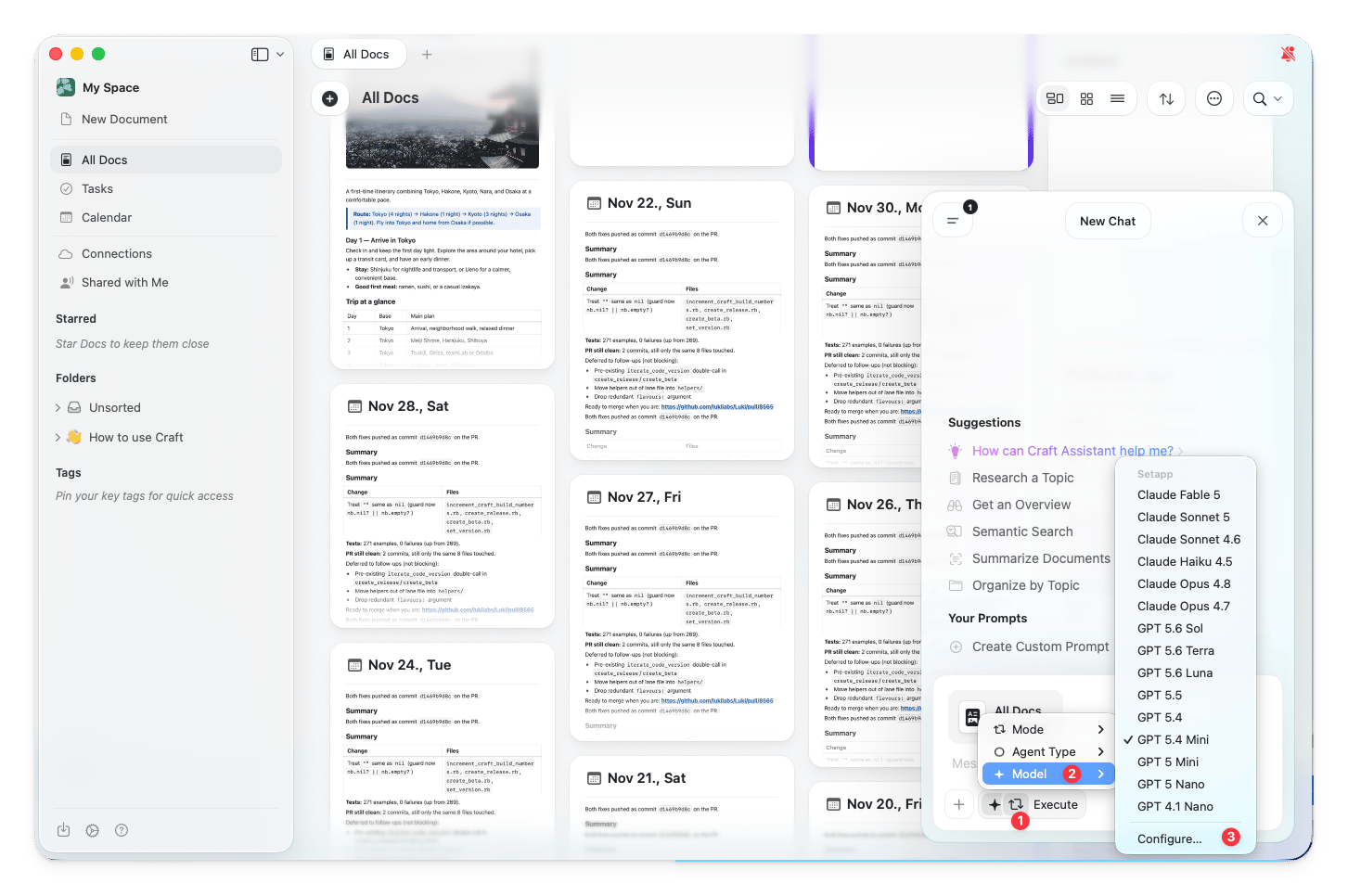
2
제공업체로 Setapp 선택
구성 대화상자에서 Provider 드롭다운을 열고 Setapp을 선택합니다.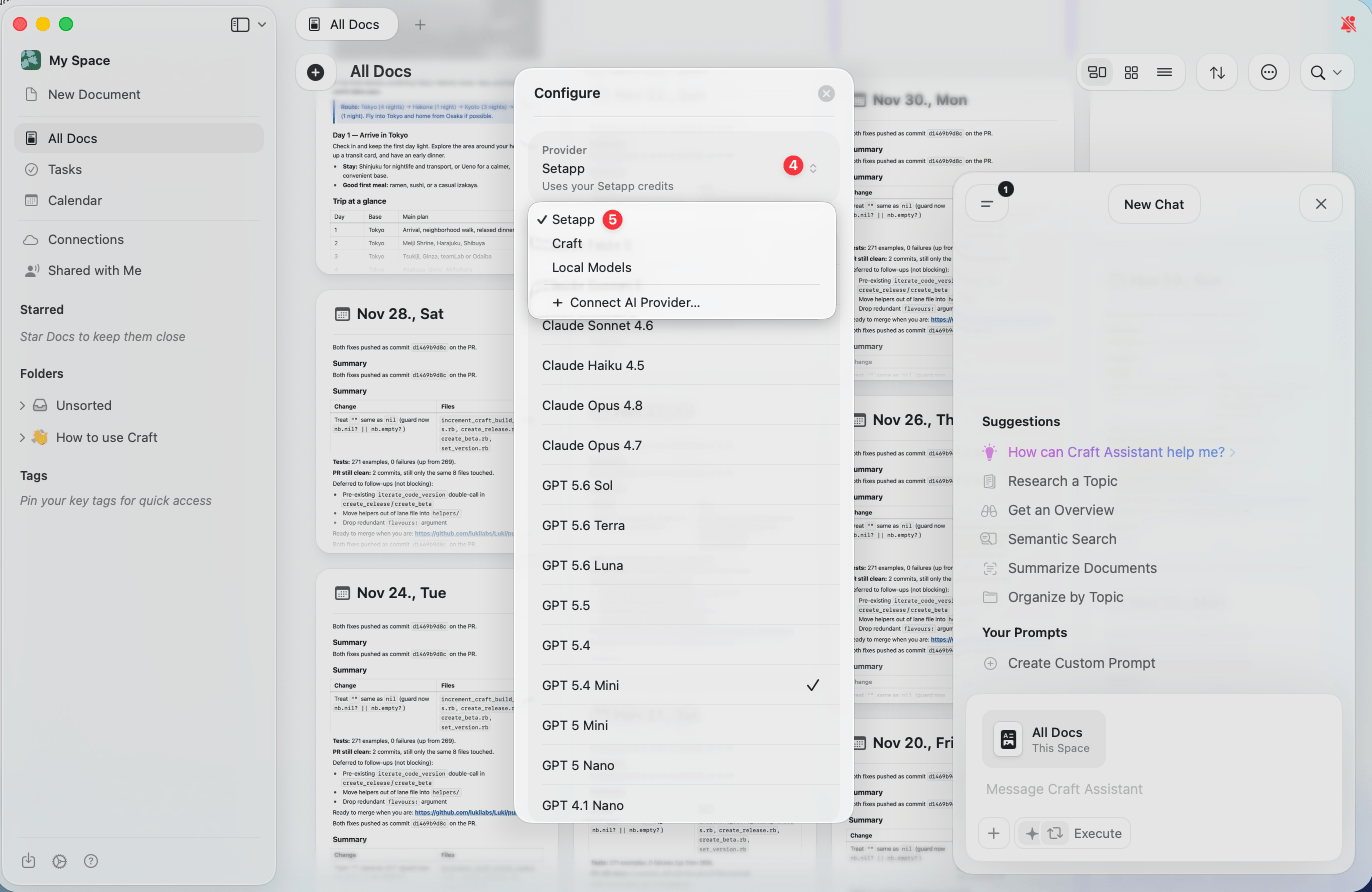
제공업체 전환
제공업체를 연결한 후에는 Assistant 패널에서 직접 제공업체와 모델을 전환할 수 있습니다.1
Assistant 패널 열기
문서 또는 Space 보기에서 Assistant를 엽니다.
2
어시스턴트 버튼 탭하기
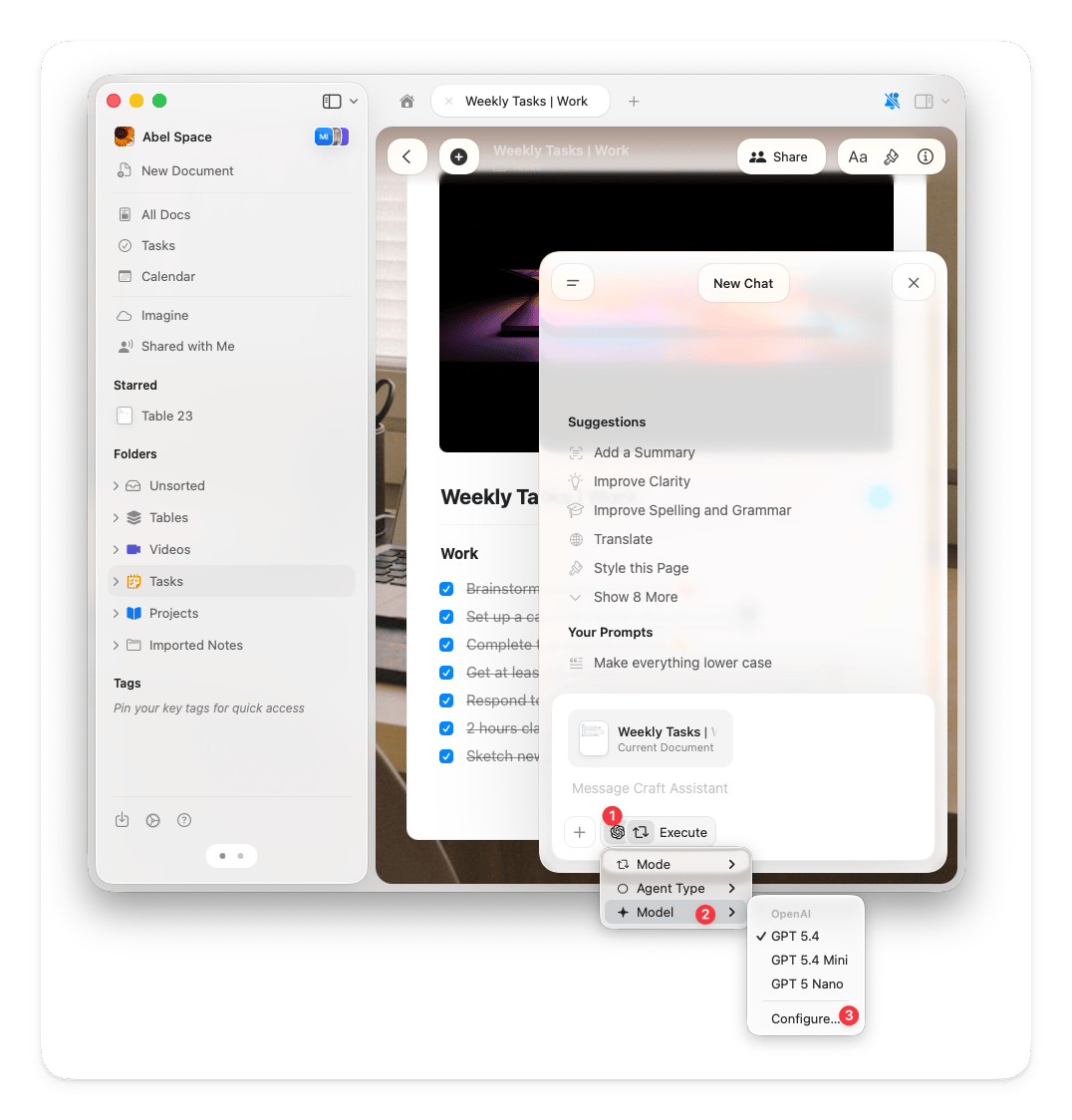
입력 필드 아래의 어시스턴트 버튼을 탭합니다.
3
모델 선택
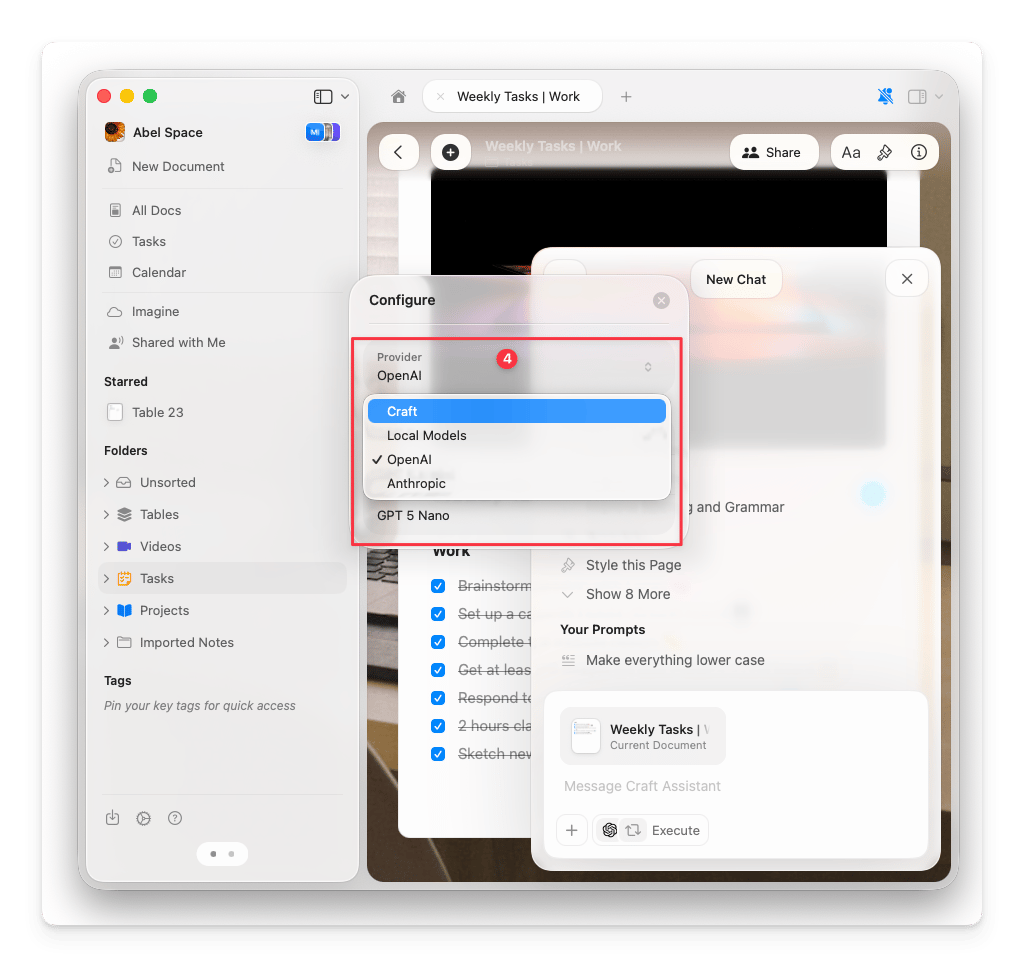
팝업에서 모델을 선택합니다. 연결된 제공업체의 모델이 Craft 모델과 함께 표시됩니다.
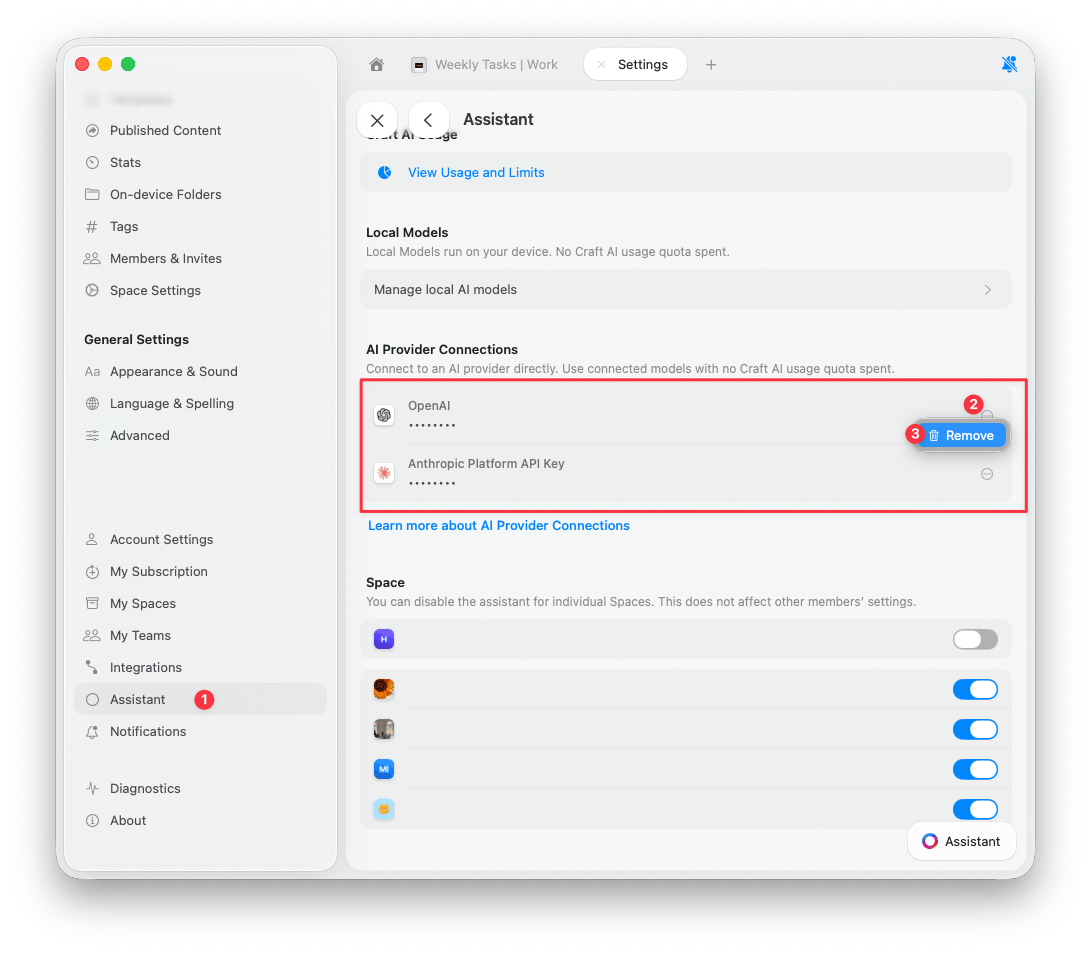
연결 제거
1
설정 열기
설정 > 어시스턴트로 이동합니다.
2
연결 찾기
AI 제공업체 연결 섹션에서 제거할 제공업체를 찾습니다.
3
제거
연결 옆의 점 3개 버튼을 탭한 후 제거를 탭합니다.