

What are Deeplinks?
Deeplinks create a URL that can directly link to a document, page, or even a specific block inside the Craft app itself – clicking on them from anywhere on your system should open the Craft app to that point. They have the formcraftdocs://open... and will work on iOS/iPadOS/macOS. They can be shared between anyone who has access to edit that space.
Deeplinks are typically used to connect other apps back into Craft – for example, a Things project can have a link in the notes section that opens the Craft document you’re keeping notes on that project in. They are not to be confused with Secret Links, which open a page on the web for your document for viewing/commenting, not in the Craft editor.
Deeplinks are only available for Craft on macOS, iOS, and iPad.
Getting Deeplinks
- macOS
- iOS
While viewing a document on macOS, click the share button in the top-right corner, select Export as, then scroll to Advanced and choose Copy Deeplink or Copy Markdown Deeplink.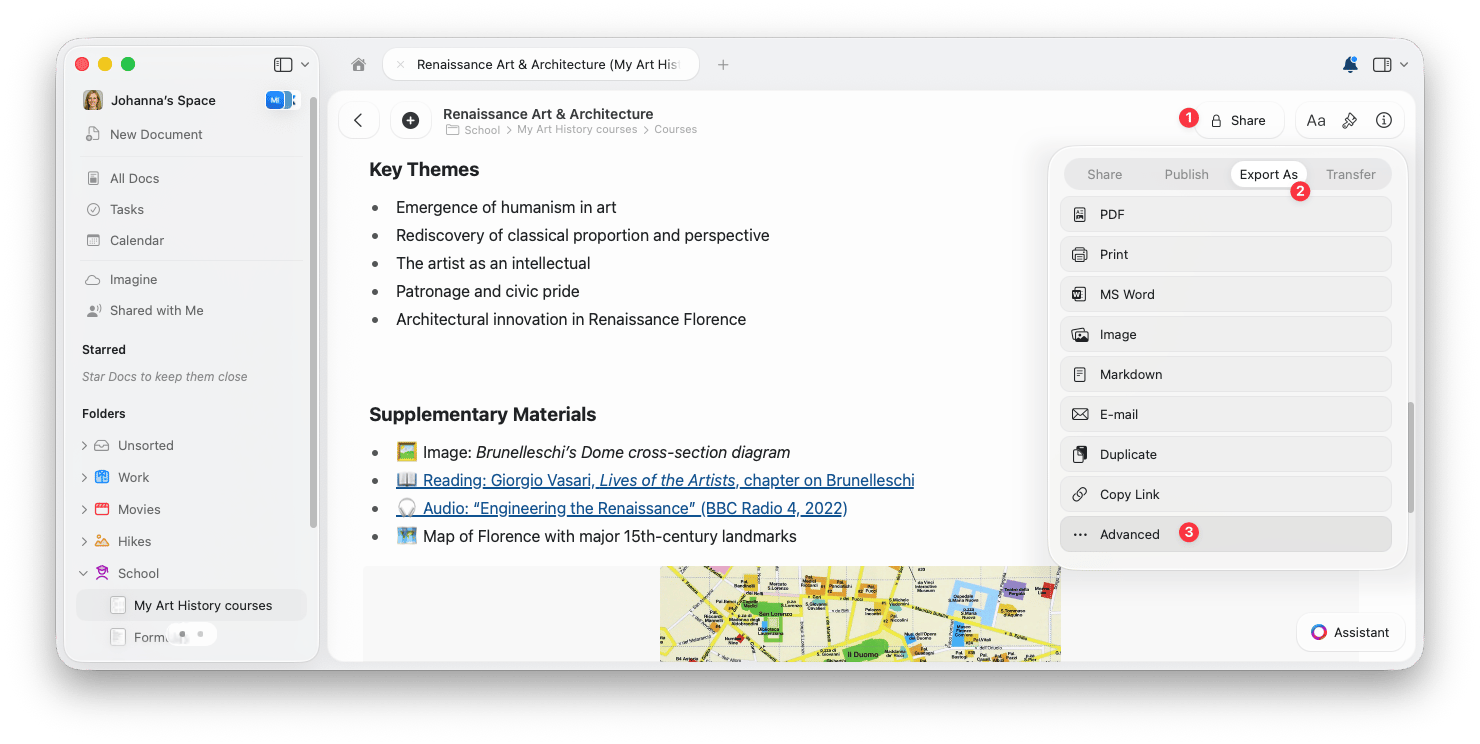
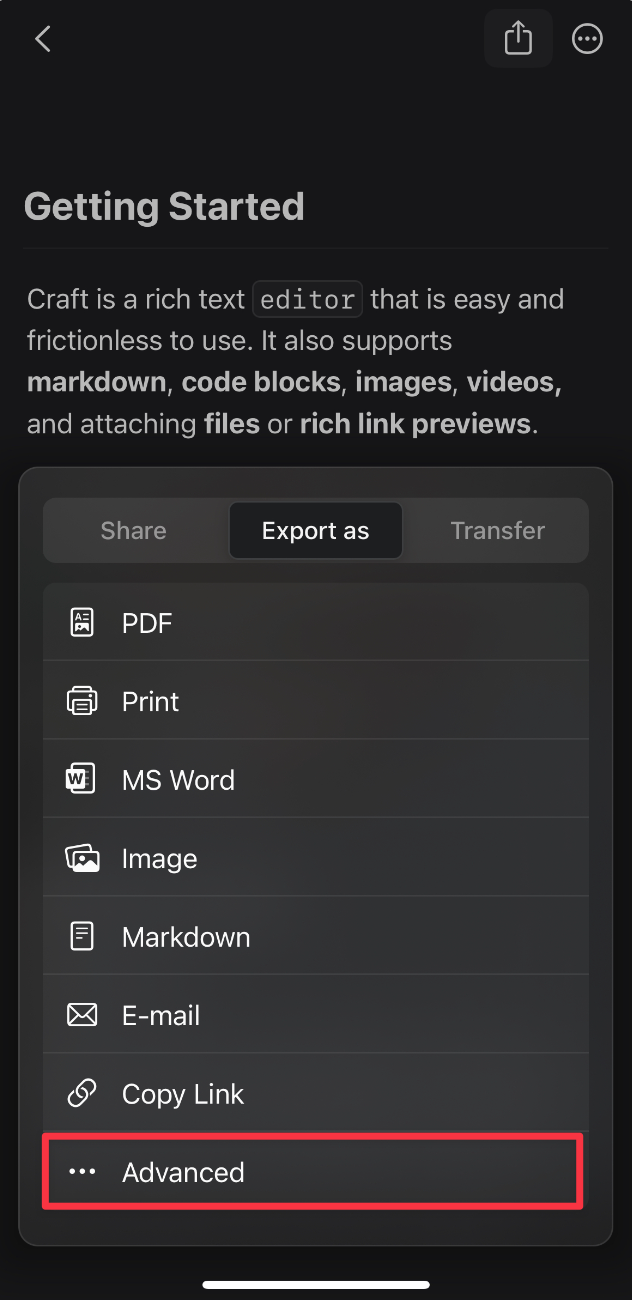
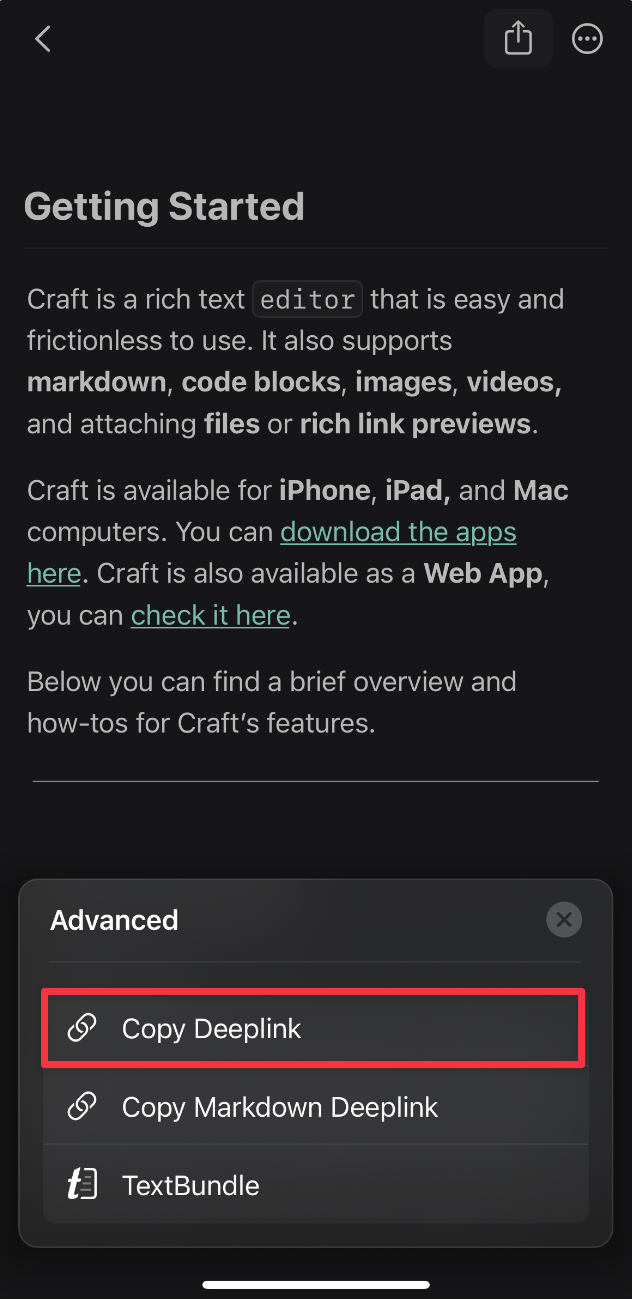
Using Deeplinks
Deeplinks can be used pretty much anywhere that highlights links. For example:- Copying and pasting the Deeplink URL into the URL bar of your browser will open Craft
- Placing the link in a Stickies note will allow you to quickly access the document from there
- You can Slack your co-workers or Message your contacts the Deeplink URL, and as long as they have access to that space, they’ll be able to click on it
Markdown Deeplinks
A Markdown Deeplink is the same Craft Deeplink formatted with standard Markdown link syntax. Instead of showing the fullcraftdocs://open... URL, the link can appear as readable text in apps that support Markdown.
For example: