

Usage quota by plan
These are approximate ranges depending on complexity. Max models use your quota faster, while simpler queries with Core stretch it further. Internally, usage is tracked using a credit system. You can view exact amounts in the Usage & Limits screen by tapping the info icon.
What counts toward usage
Cloud-based models (Core, Fast, Max) count toward your quota. The amount varies by model and task complexity. Max uses the most, Core the least. On-device models run locally on your Mac, iPad, or iPhone and never count toward your quota.Editing and usage
Editing tasks use more of your quota than read-only conversations because the Assistant performs multiple steps: reading your document, planning changes, and applying edits. Use Fast for simpler edits to stay efficient. Only Fast and Max support editing. See Editing with Craft Assistant for more details.Getting more usage
If you need more than what your plan includes, you can top up at any time.1
Open the Assistant panel and tap the three-dot menu (⋯).
2
Choose Usage & Limits.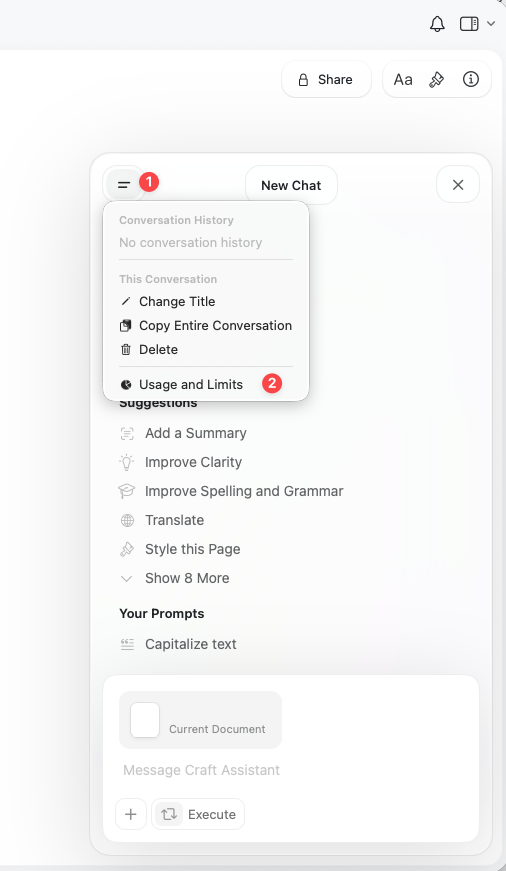
3
Under Get More AI Usage, pick a top-up pack and select Buy.
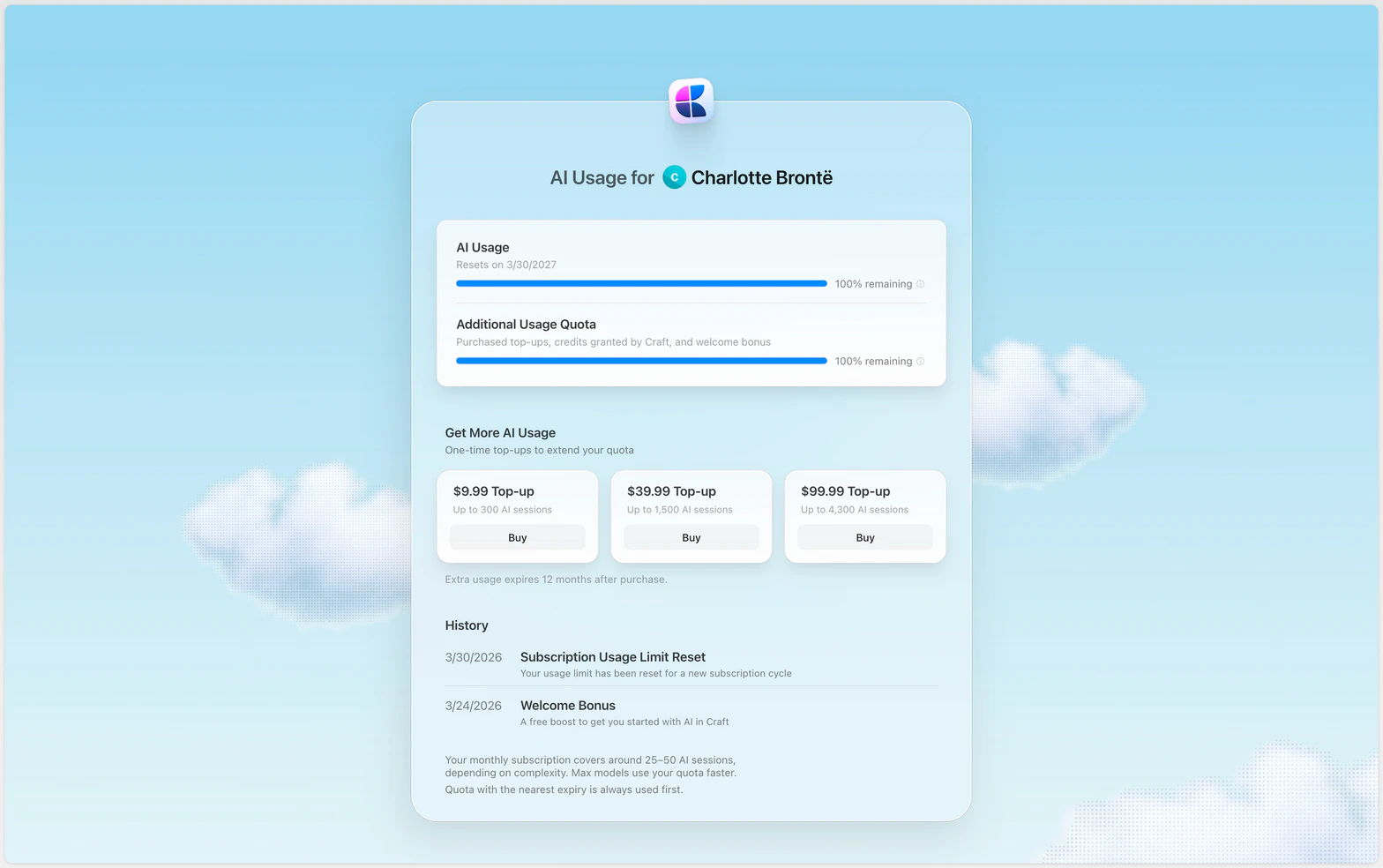
Top-up packs
Extra usage expires 12 months after purchase. Pricing is shown in USD and VAT may apply.
Checking your usage
Open the Assistant panel, click the three-dot menu, then choose Usage & Limits.Quota renewal
- Monthly plans: Your quota refreshes each billing month
- Yearly plans: Your quota refreshes each billing year
- Unused quota does not roll over
- Nearest expiry first: When you have both included quota and purchased top-ups, quota with the nearest expiry date is always used first
Free alternatives
If you want to use AI without using your Craft quota:- On-device models: Available on Mac, iPad, and iPhone (always free)
- Connect your own provider: Use your own OpenAI or Anthropic credentials instead of Craft AI credits. See Connect to AI Providers.
- External AI tools: Connect ChatGPT or Claude to Craft. See MCP for setup instructions.
Related Articles
Choosing AI Models
Select the right model to balance speed and usage
Using Craft Assistant
Learn how to work with the Assistant
Editing with Craft Assistant
Understand how editing affects usage