

Inserting a Mermaid Diagram
Add a Mermaid diagram using one of these methods:- Type
/mermaidand select Mermaid Diagram - Choose Mermaid Diagram from the Insert panel in the sidebar (under Rich Blocks)
- Paste markdown containing a
```mermaidcode fence — Craft converts it automatically
Editing
When you open a Mermaid block, it shows a split view — the rendered diagram on top, your code below. The preview updates live as you type.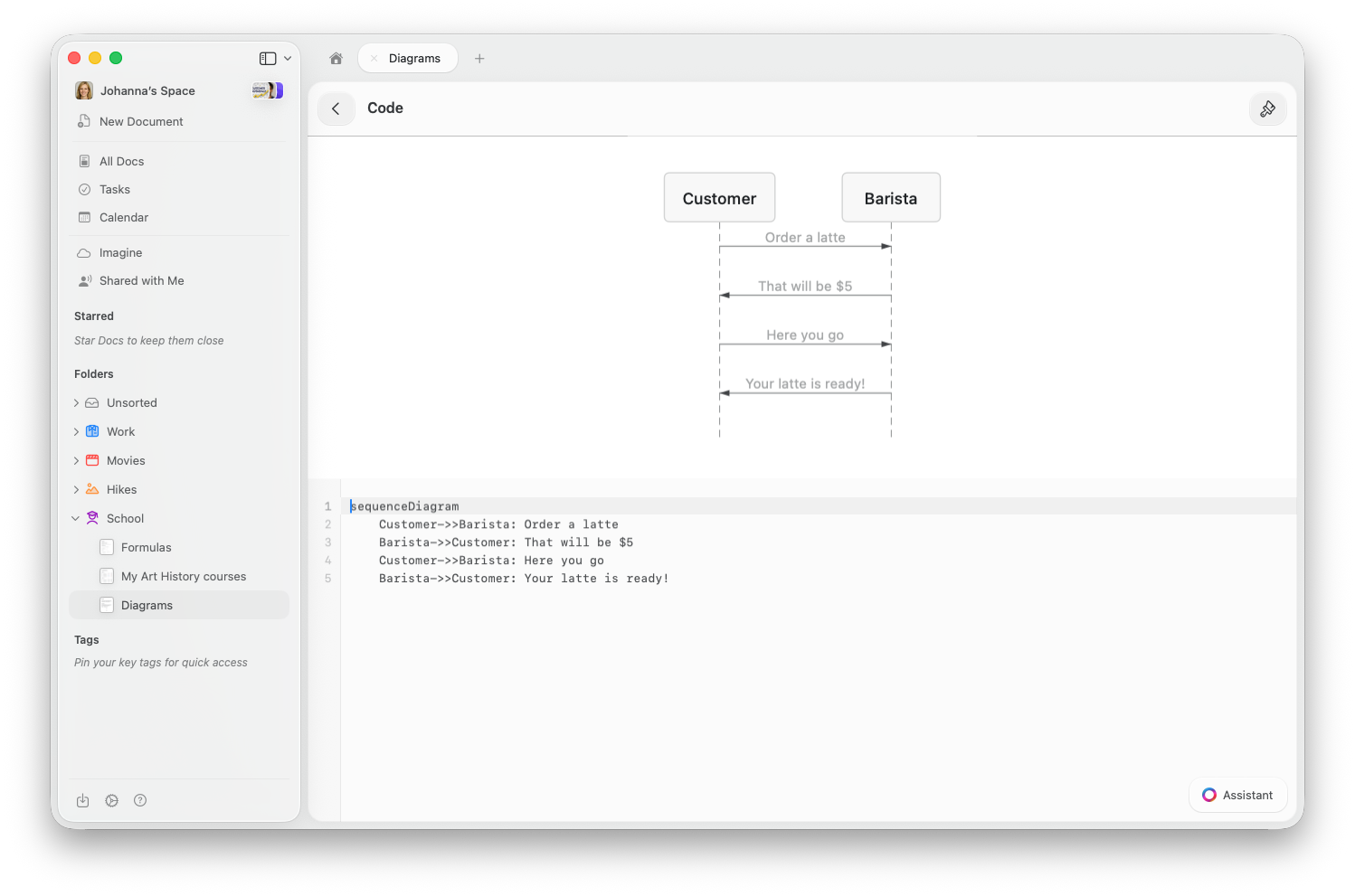
- macOS
- iOS / iPad
- Web / Windows
Click the Mermaid block to open it in split view. The diagram preview appears on top with the code editor below. Double-tap the preview to zoom in.
Supported Diagram Types
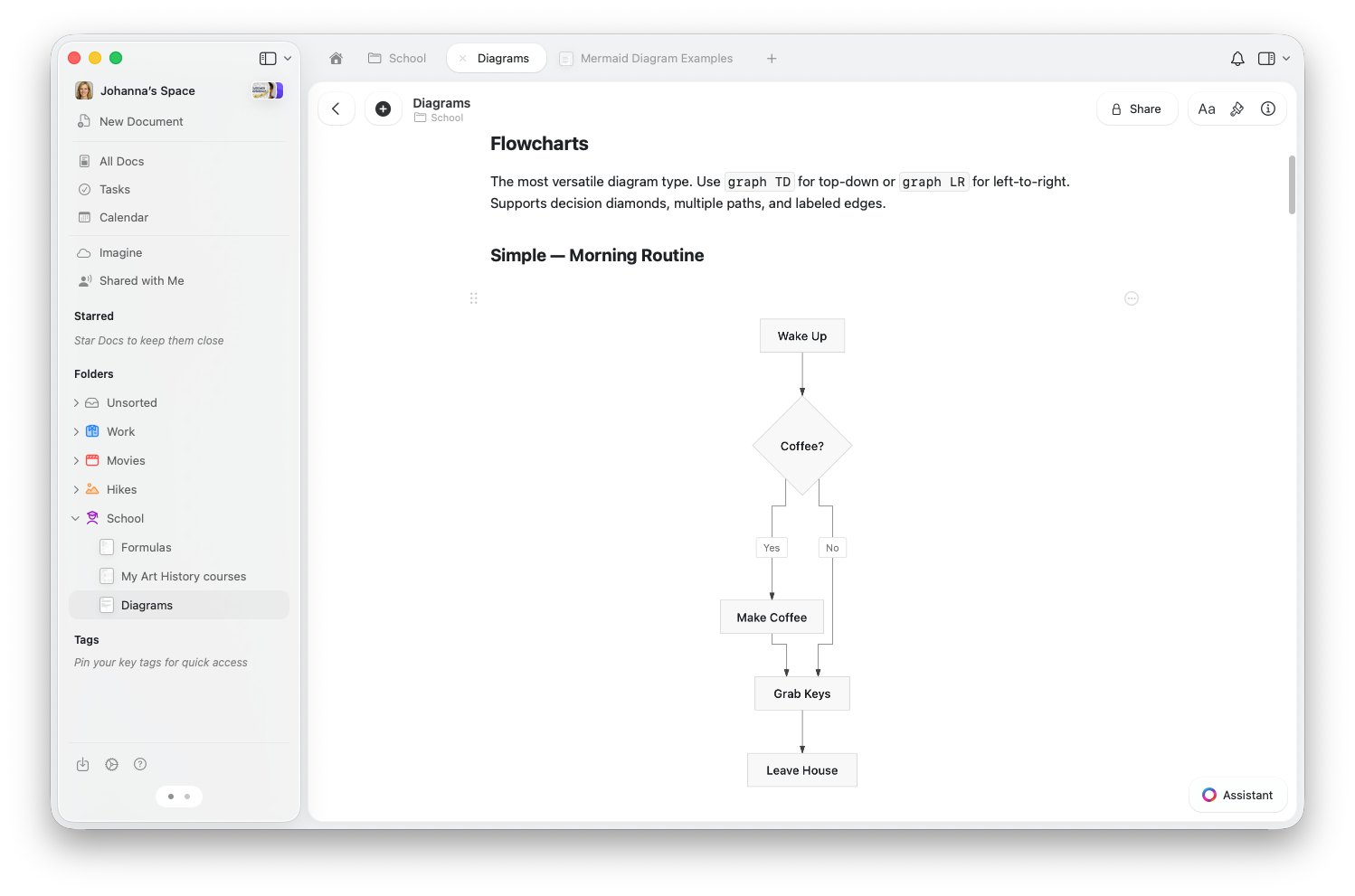
Flowcharts
Map out processes, decisions, and workflows. Usegraph TD for top-down or graph LR for left-to-right layouts.
Sequence Diagrams
Show interactions between people or systems over time.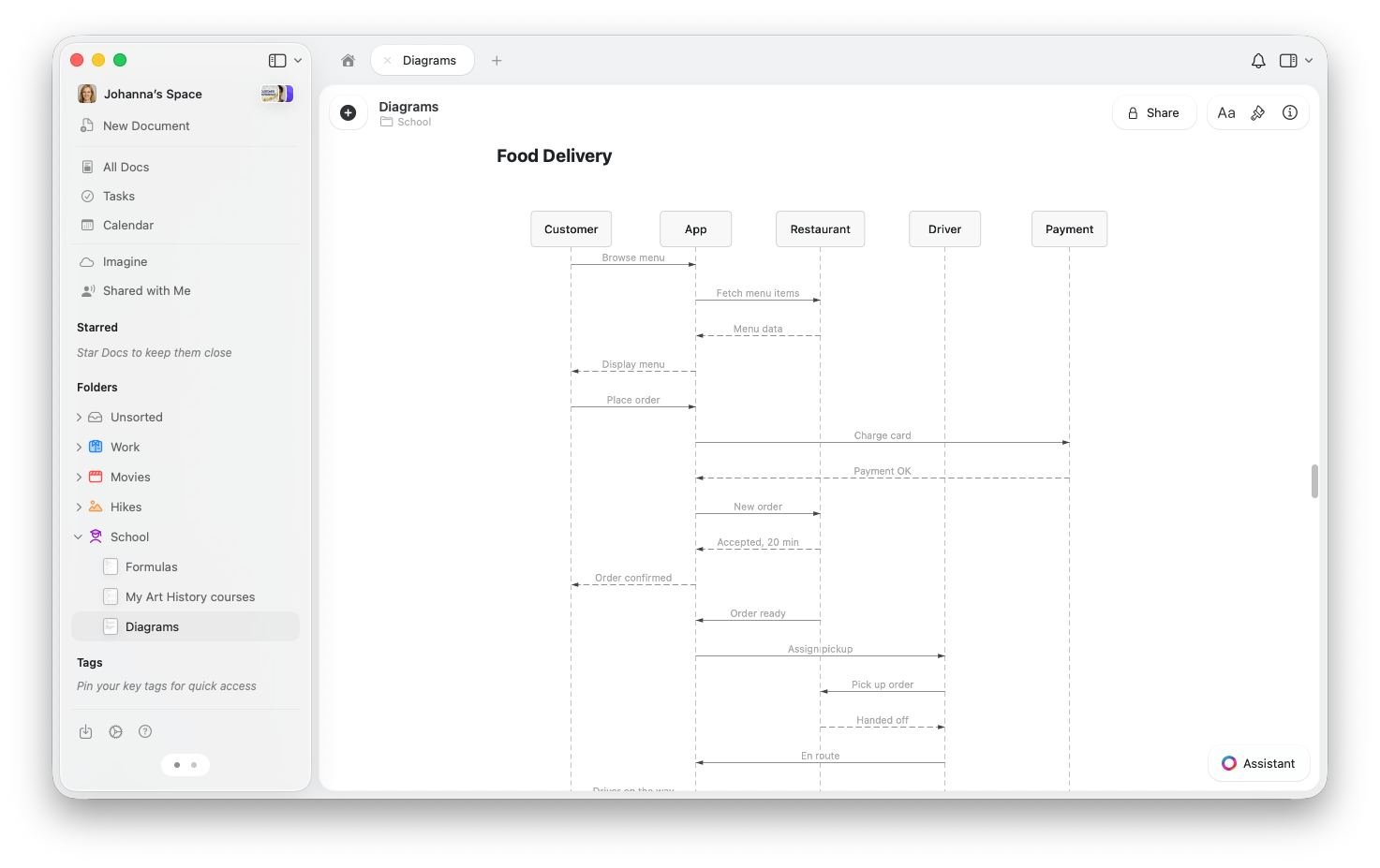
State Diagrams
Visualize how something transitions between states — perfect for order tracking, workflows, or processes.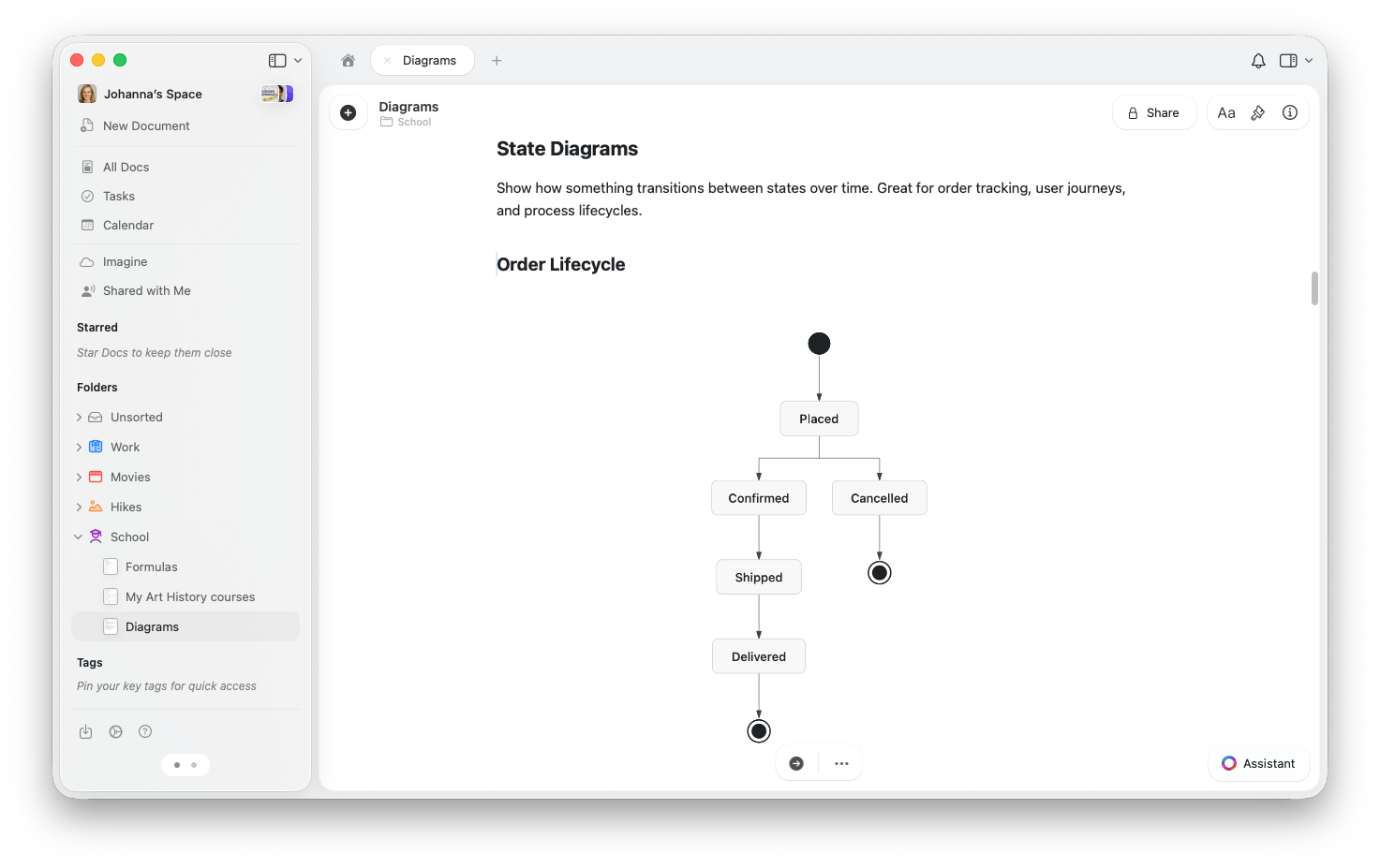
Class Diagrams
Show the structure of a system — what things exist, their properties, and how they relate.ER Diagrams
Model data relationships — great for database design and planning.Charts
Create bar charts, line charts, or a combination of both.Changing the Theme
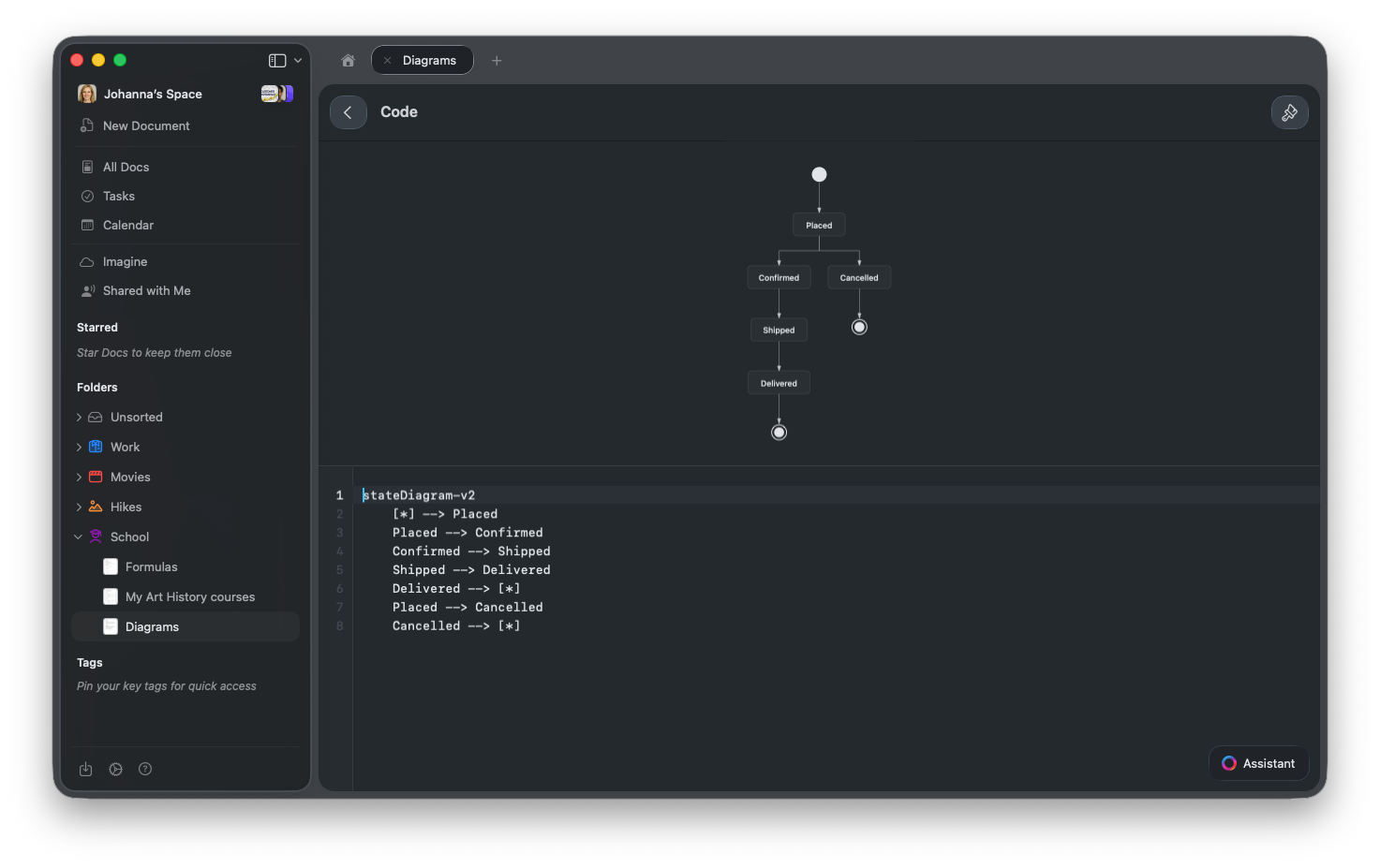
Mermaid diagrams adapt to your code editor theme. To change the look, tap the paintbrush icon in the toolbar and choose a theme — options include Tokyo Night, Dracula, Nord, GitHub, and more. The diagram updates instantly. Diagrams also respect your document’s light or dark mode.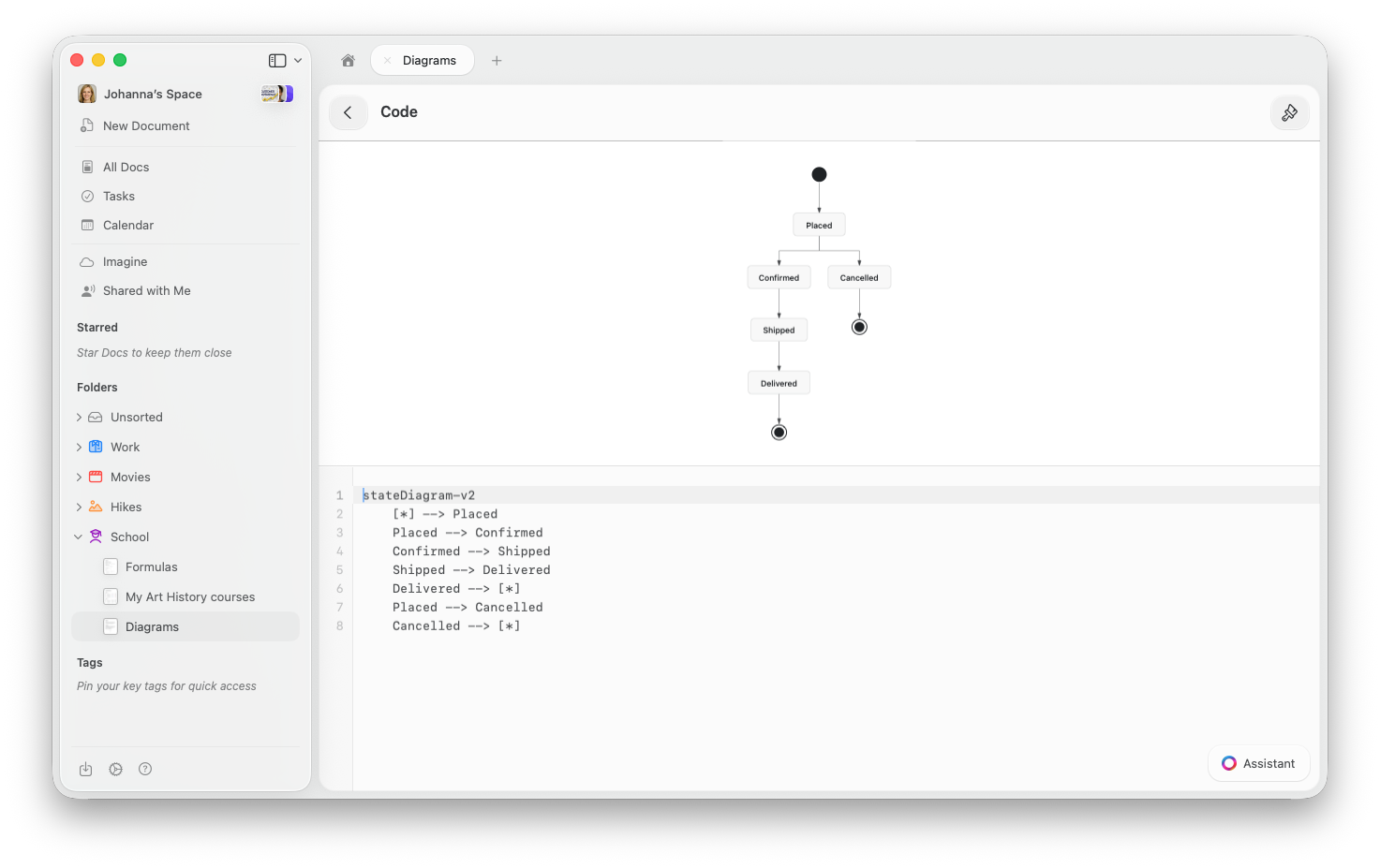
Sharing and Publishing
Mermaid diagrams render on shared and published pages — anyone viewing the link sees the rendered diagram, not the code. No special setup needed.Importing and Exporting
- Markdown import: Paste or import markdown with
```mermaidcode fences and Craft creates Mermaid blocks automatically. - Markdown export: Mermaid blocks export as standard
```mermaidcode fences, compatible with other tools.
Tips
What if my diagram shows 'Invalid Mermaid diagram'?
What if my diagram shows 'Invalid Mermaid diagram'?
This usually means a syntax error in your code. Check for typos or missing arrows. If you’re copying syntax from another tool, note that Craft supports flowcharts, sequence diagrams, state diagrams, class diagrams, ER diagrams, and XY charts — other types like pie charts, Gantt charts, or mindmaps are not currently supported.
Can the AI Assistant help write Mermaid diagrams?
Can the AI Assistant help write Mermaid diagrams?
Yes. Describe the diagram you want and the Craft AI Assistant will generate the Mermaid code for you. You can also ask it to modify or extend an existing diagram.
Can I zoom into a large diagram?
Can I zoom into a large diagram?
On Mac and iPad, double-tap the diagram preview to zoom in. On the web, use the fullscreen view for larger diagrams.
Mermaid is an open standard used across many tools. Visit mermaid.js.org to learn the full syntax for each diagram type.