

- Discounts are only valid for new subscriptions and upgrades
- They cannot be applied to existing subscriptions or renewals
- Discounts are time-limited — use your code before it expires
- App Store subscriptions do not support discount codes — App Store purchases are handled entirely by Apple, and Craft cannot apply discounts to them. To use a discount code, subscribe through Craft’s website instead
Automatic Discounts
When a promotion is active, the discount is automatically applied to all available plans on the pricing page. You will see the discounted price and a label such as “40% discount applied” before you subscribe.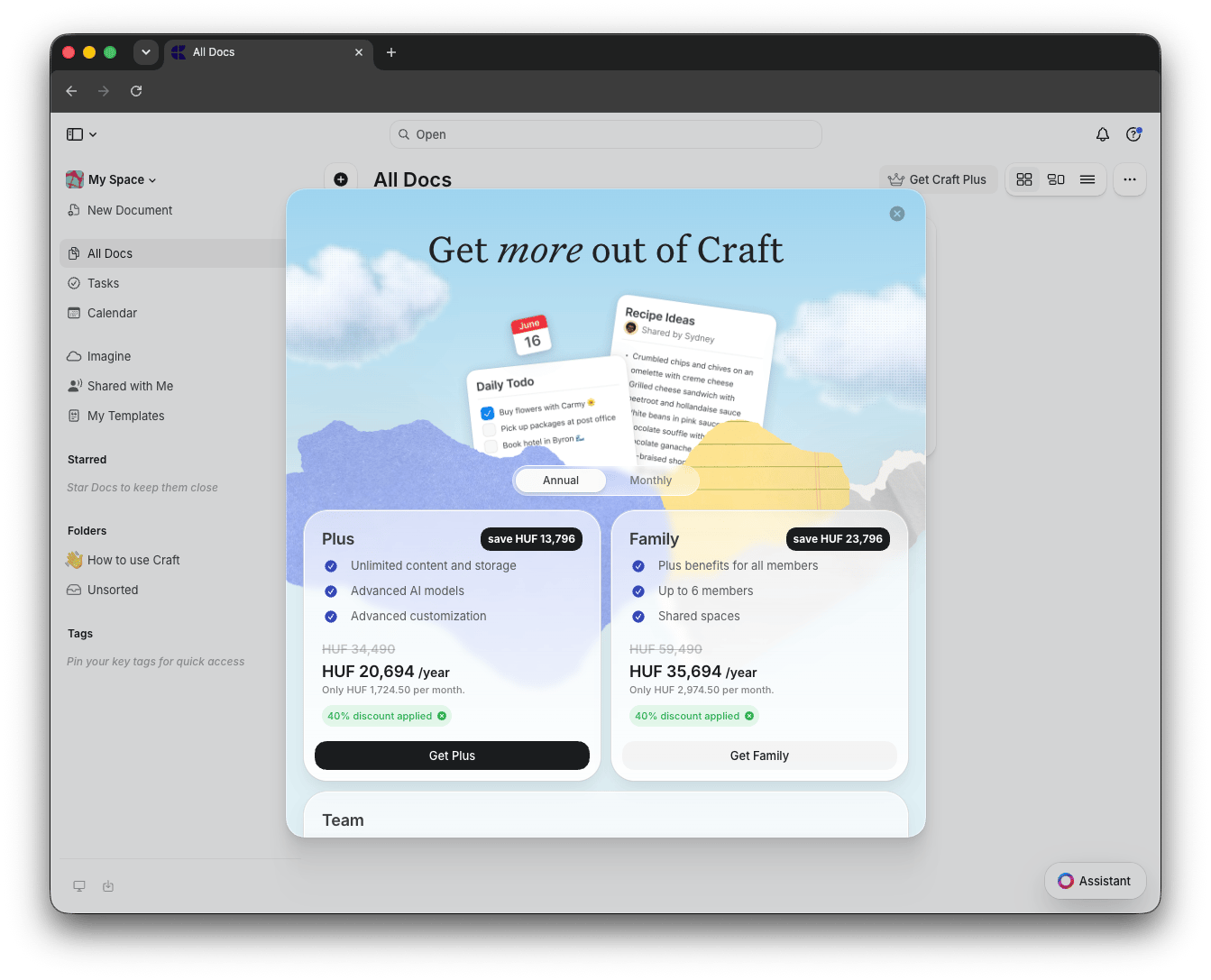
Apply a Different Discount Code
If you have a specific promotion code that differs from the automatically applied discount, you can replace it:1
Remove the current discount
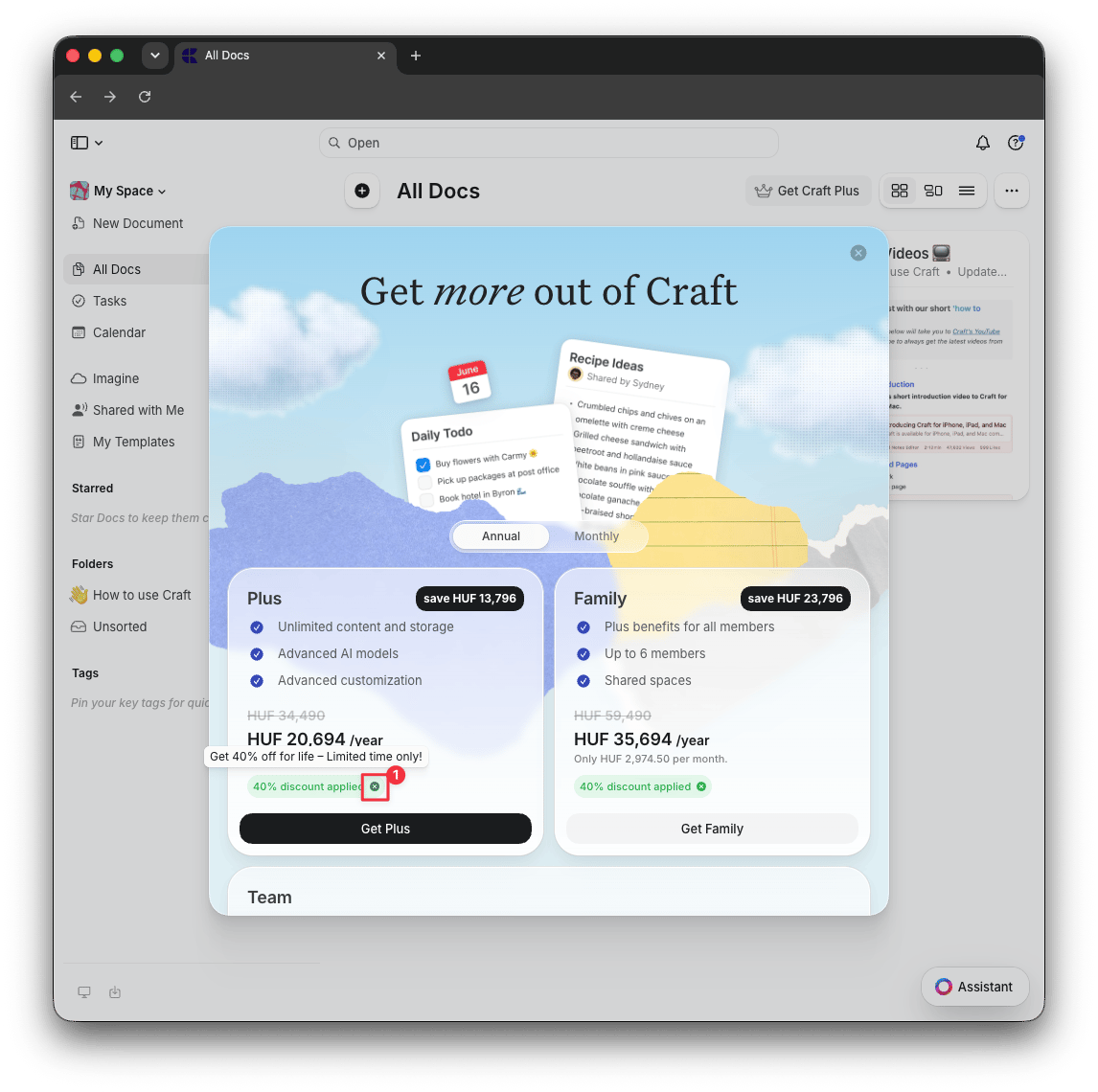
On the pricing page, click the X button next to the “discount applied” label to remove the auto-applied discount
2
Proceed to checkout
Click Get Plus, Get Family, or Get Team to open the checkout page
3
Enter your code
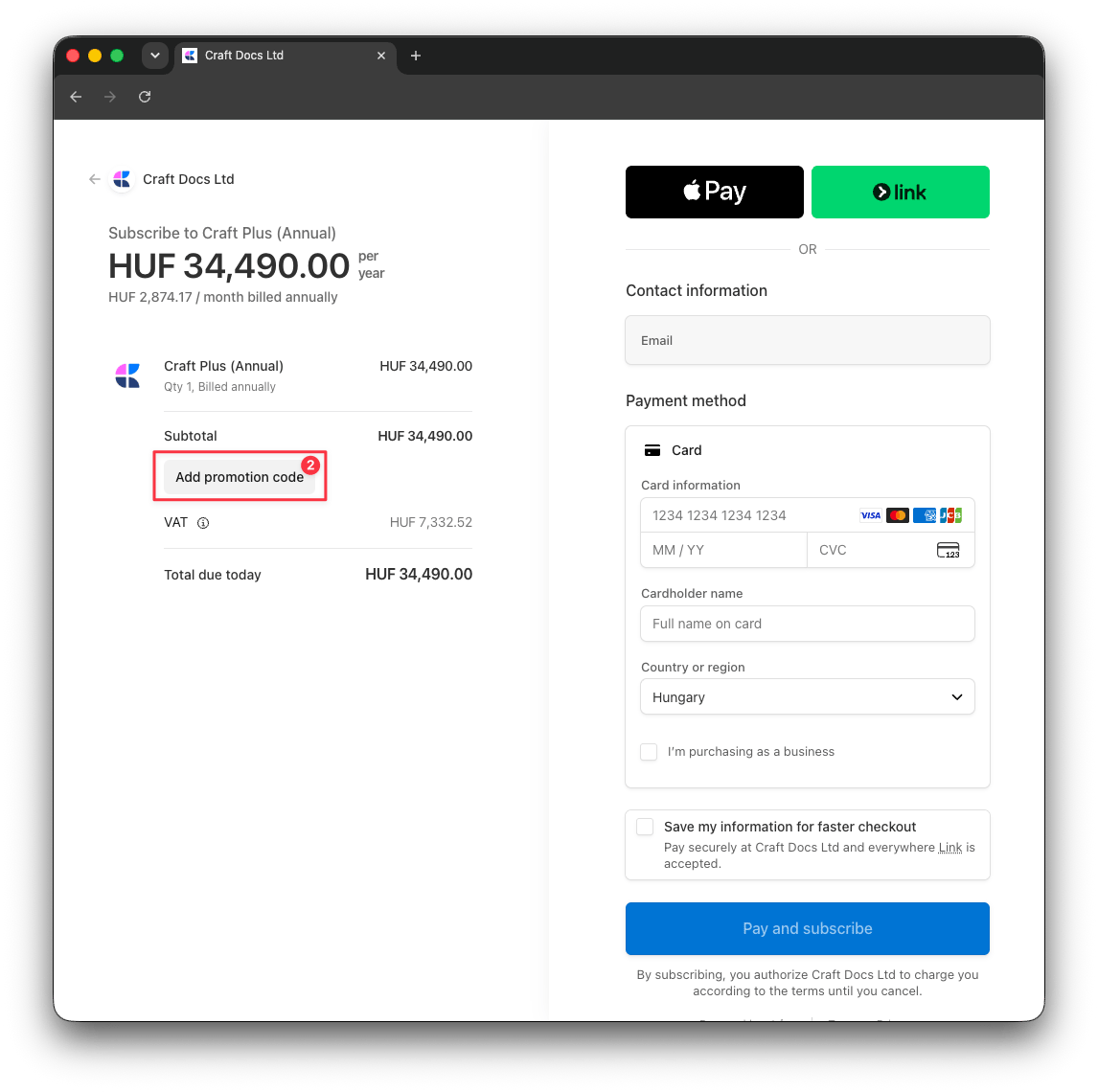
Click Add promotion code, enter your discount code, and the new discount will be reflected in the total
Related Articles
Subscription Plans
Compare Craft’s subscription tiers and features
Education Plan
Get special pricing for students and educators
Upgrade from App Store
Transition from App Store to web subscription