

Spaces in Craft let you separate your work into distinct areas – whether for different projects, teams, personal notes, or work contexts. Each space has its own documents, folders, and organization.Documentation Index
Fetch the complete documentation index at: https://craft-support.mintlify.app/llms.txt
Use this file to discover all available pages before exploring further.
Switching Between Spaces
To switch between spaces: While in Home view, use the space dropdown in the top left part of the sidebar to switch between spaces.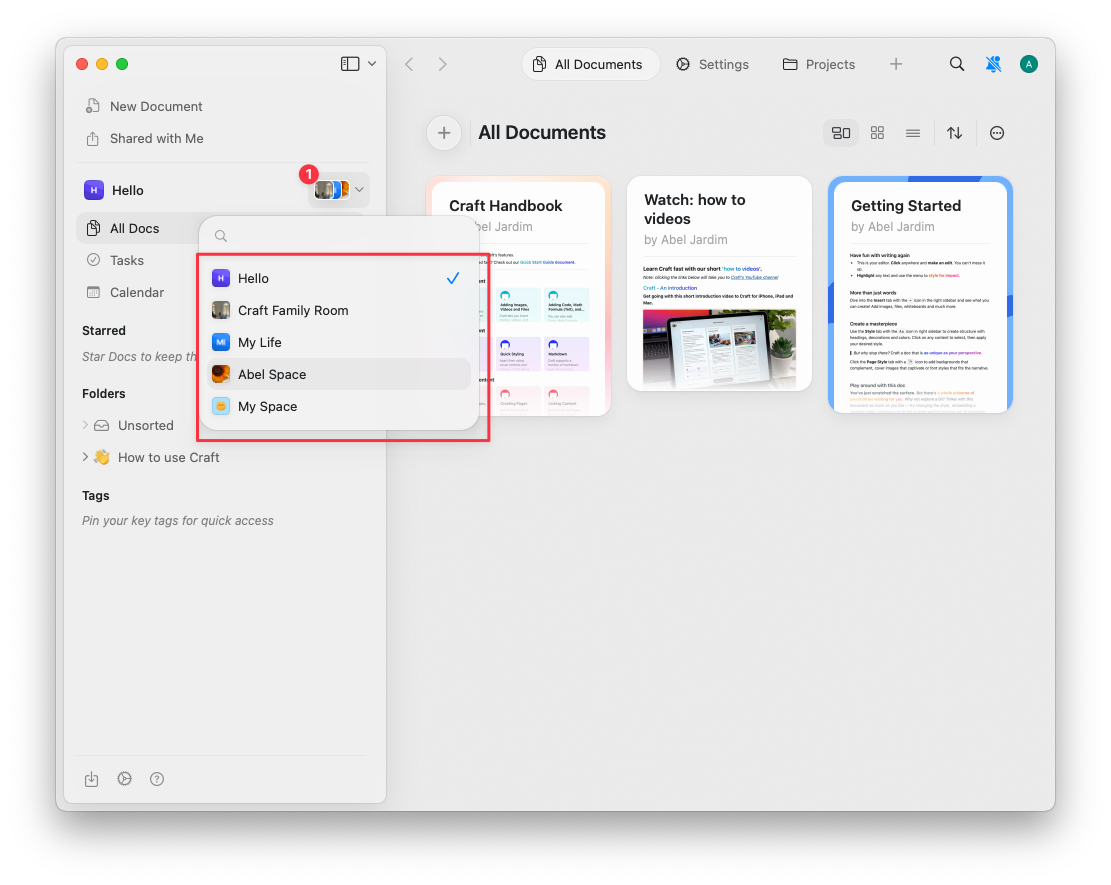
Moving Documents Between Accounts
You can transfer documents between Craft accounts easily while on macOS, iOS, or iPad. Follow these steps:Add the Account to Craft
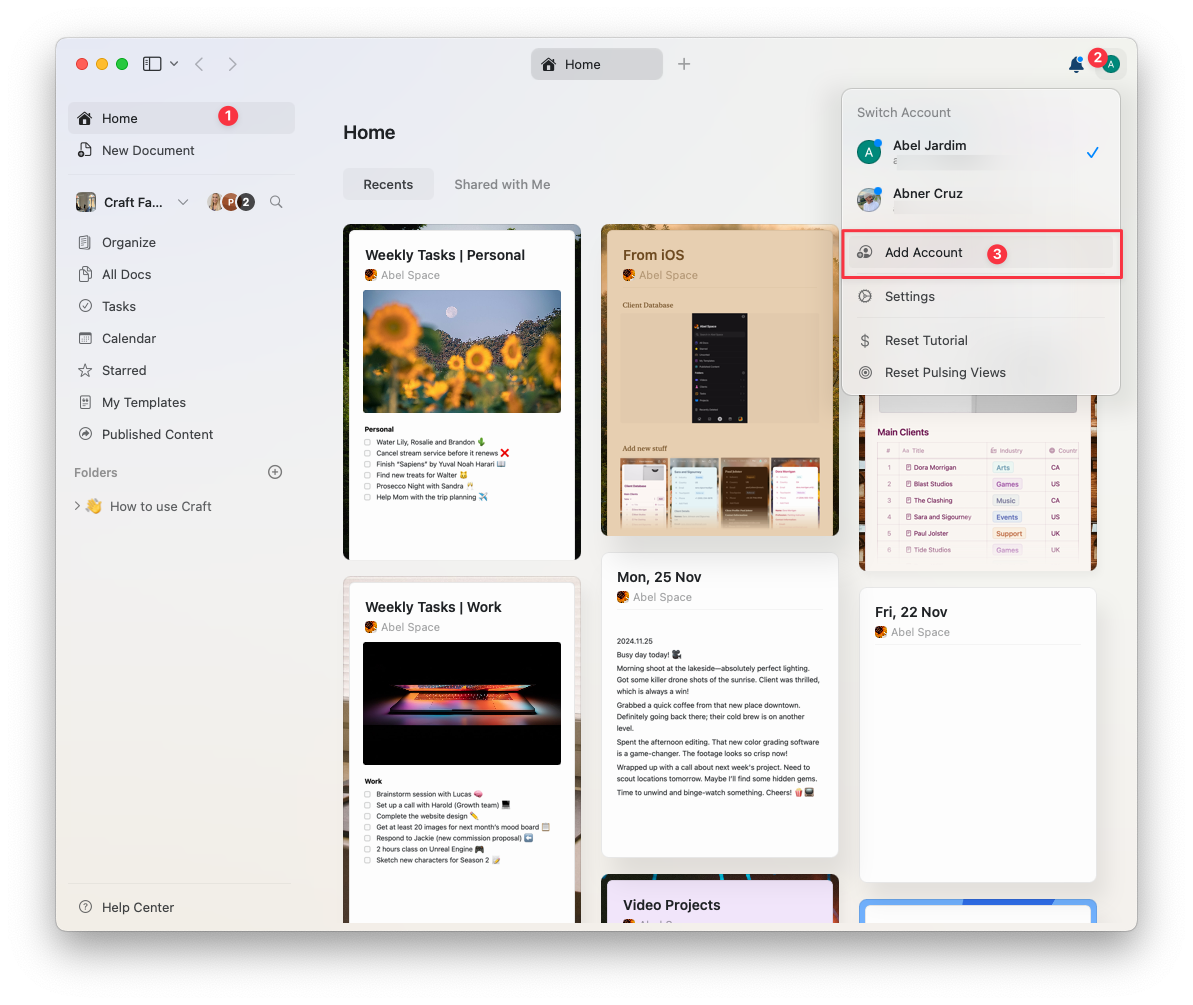
Move Documents to Another Account
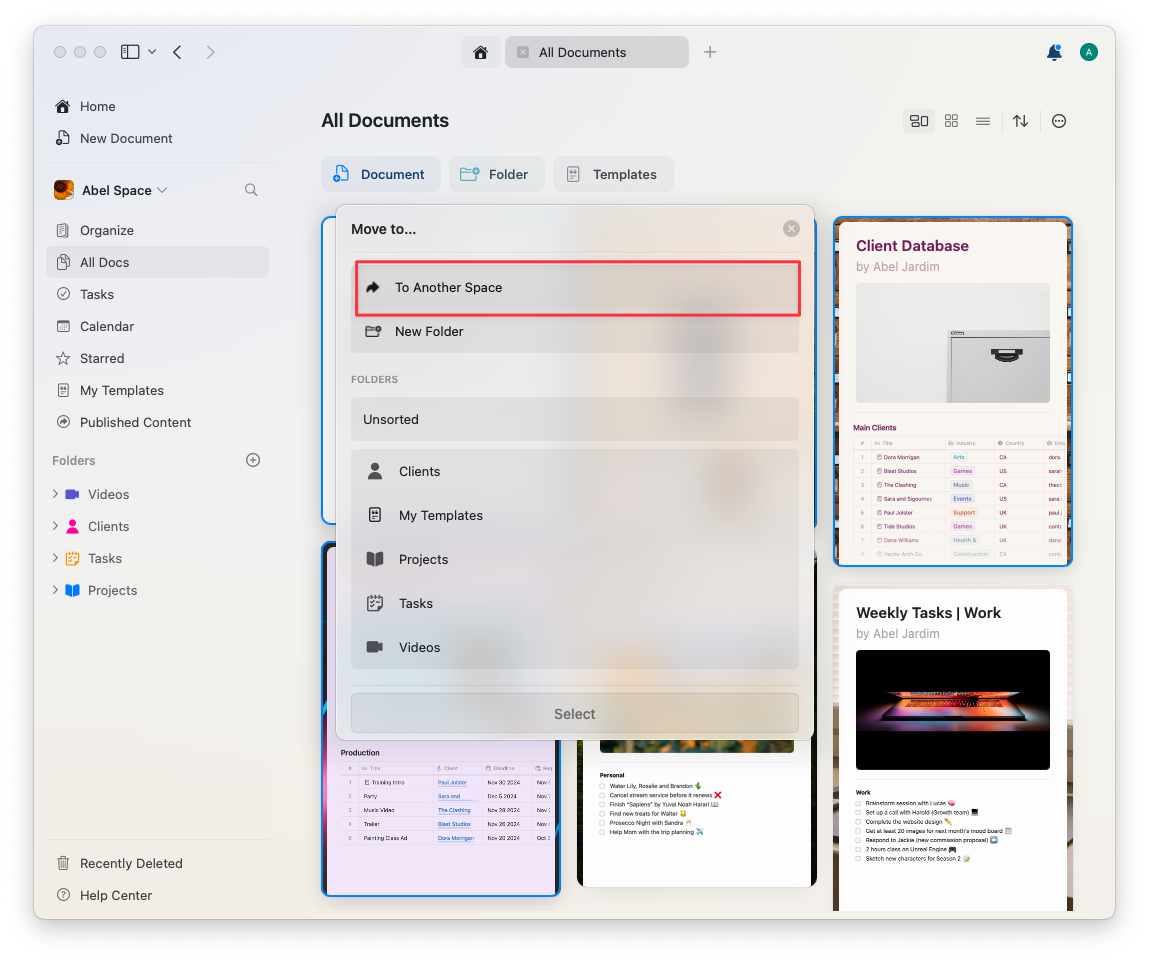
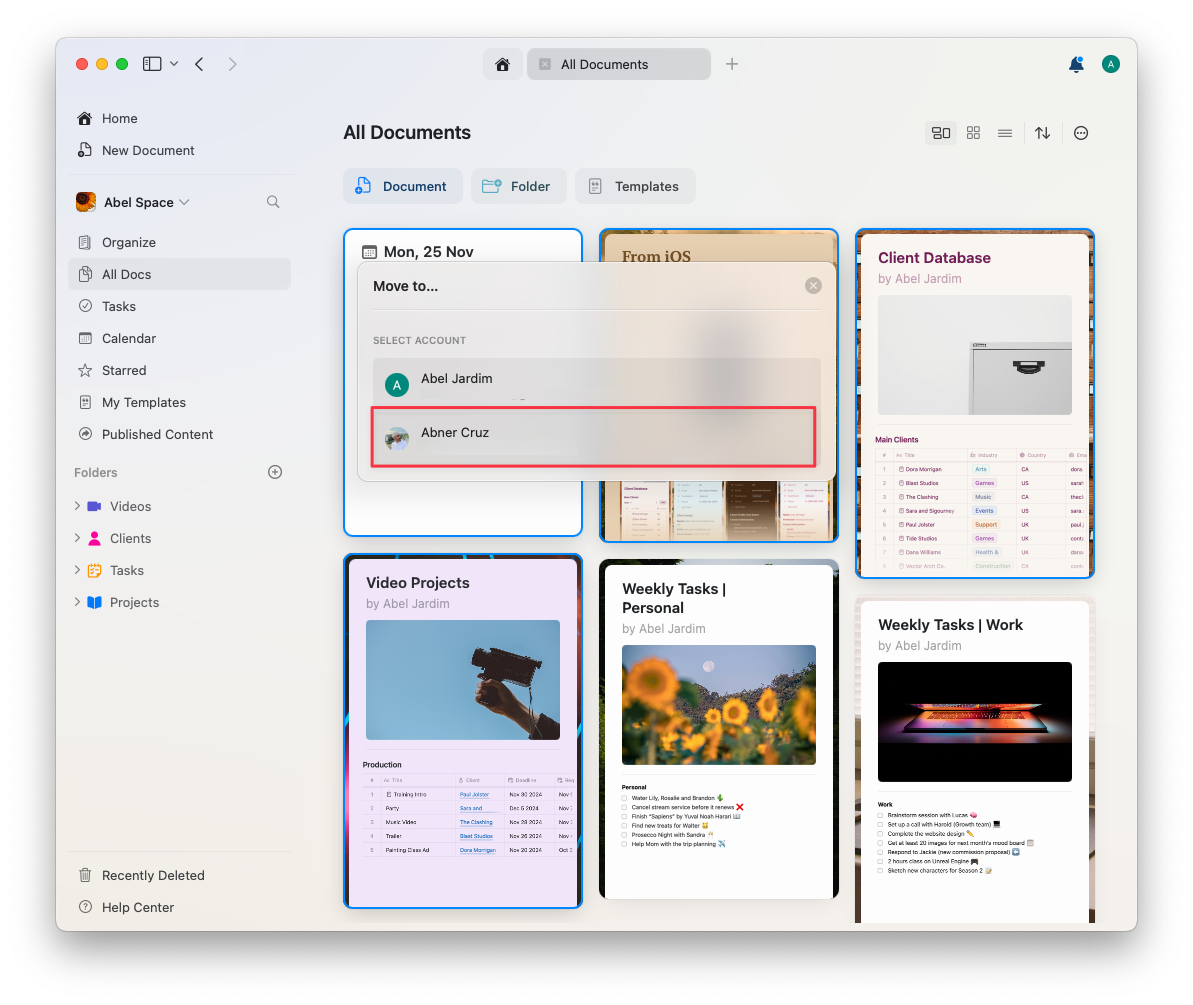
To move multiple documents at once, hold down the Shift key while selecting them.
Related Articles
Teams
Collaborate with team members and manage shared team spaces
Sharing Documents
Share documents with others
Account Setup
Learn about creating and managing spaces