> ## Documentation Index
> Fetch the complete documentation index at: https://craft-support.mintlify.site/llms.txt
> Use this file to discover all available pages before exploring further.
# 在 Craft 文件中嵌入 Google Maps
> 直接在 Craft 文件中嵌入可互動的 Google Maps 連結。
您可以依照以下步驟,將 Google Maps 連結輕鬆嵌入 Craft 文件:
**貼上 Google Maps 連結**
從 Google Maps 複製連結,並將其以卡片區塊貼到 Craft 文件中。
**開啟區塊選單**
在區塊左側,點擊 **three-dot menu (⋯)** 以開啟區塊選項。
**選擇 Embed 選項**
從選單中選擇 **Embed** 選項。Google Maps 連結就會轉換成嵌入的地圖區塊。
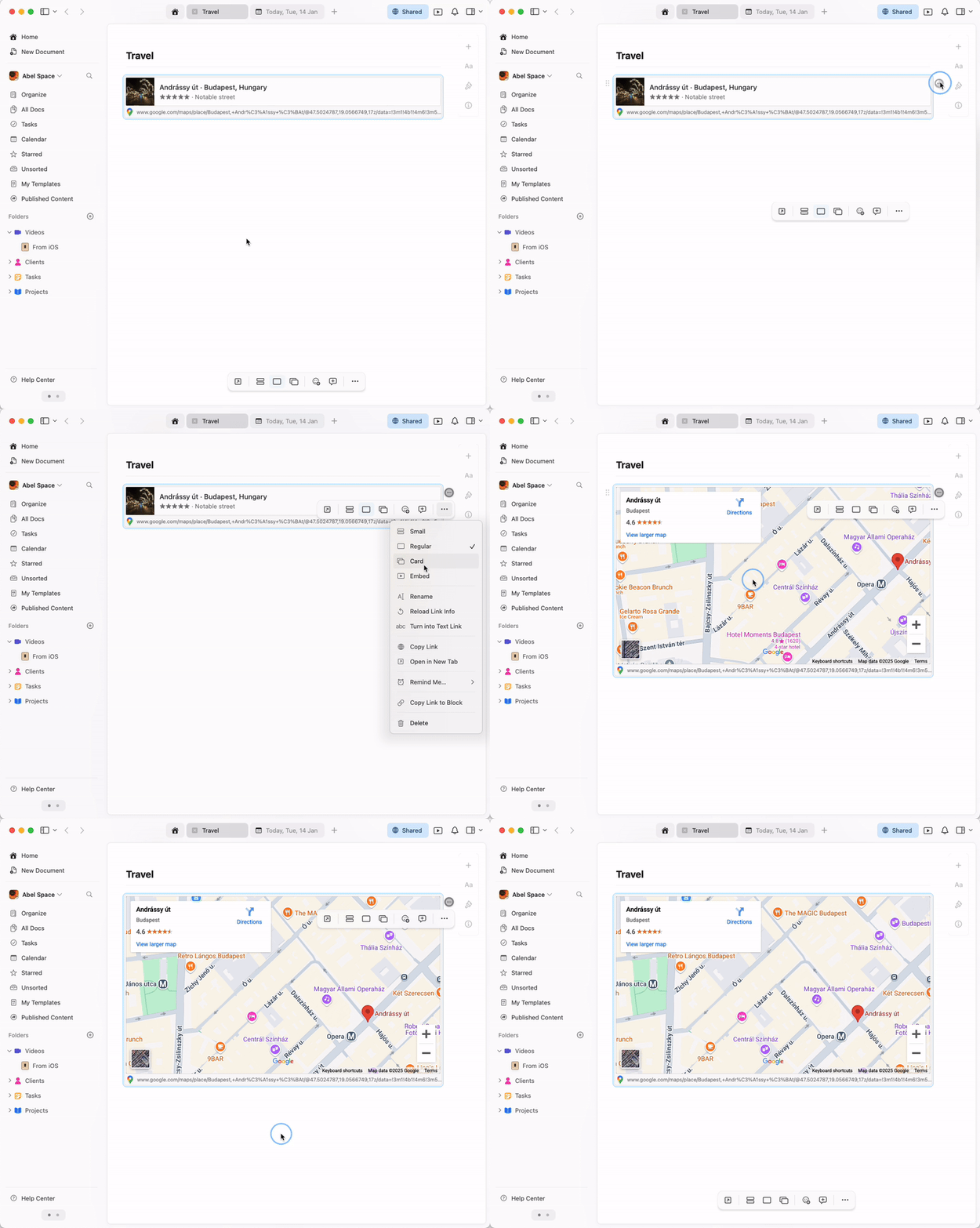 嵌入的地圖具有完整的互動功能 - 您可以在 Craft 文件中直接縮放、平移並探索該位置。