> ## Documentation Index
> Fetch the complete documentation index at: https://craft-support.mintlify.site/llms.txt
> Use this file to discover all available pages before exploring further.

# 變更付款方式

> 變更您的 Craft 訂閱付款資訊。

如果您是透過 **Stripe** 或 **Paddle**（網頁訂閱）訂閱 Craft，您可以更新您的付款資訊。

<Info title="App Store 訂閱">
  如果您是透過 **App Store** 訂閱，付款方式由您的 Apple ID 設定管理。請造訪 [Apple 的訂閱管理頁面](https://support.apple.com/en-us/HT201266) 以更新您的付款資訊。
</Info>

<Tip title="不確定您使用哪種付款方式？">
  請參閱我們的 [付款方式指南](/zh-Hant/account-and-subscription/billing/payment-methods) 以確認您的訂閱類型。
</Tip>

## 變更付款方式

<Steps>
  <Step>
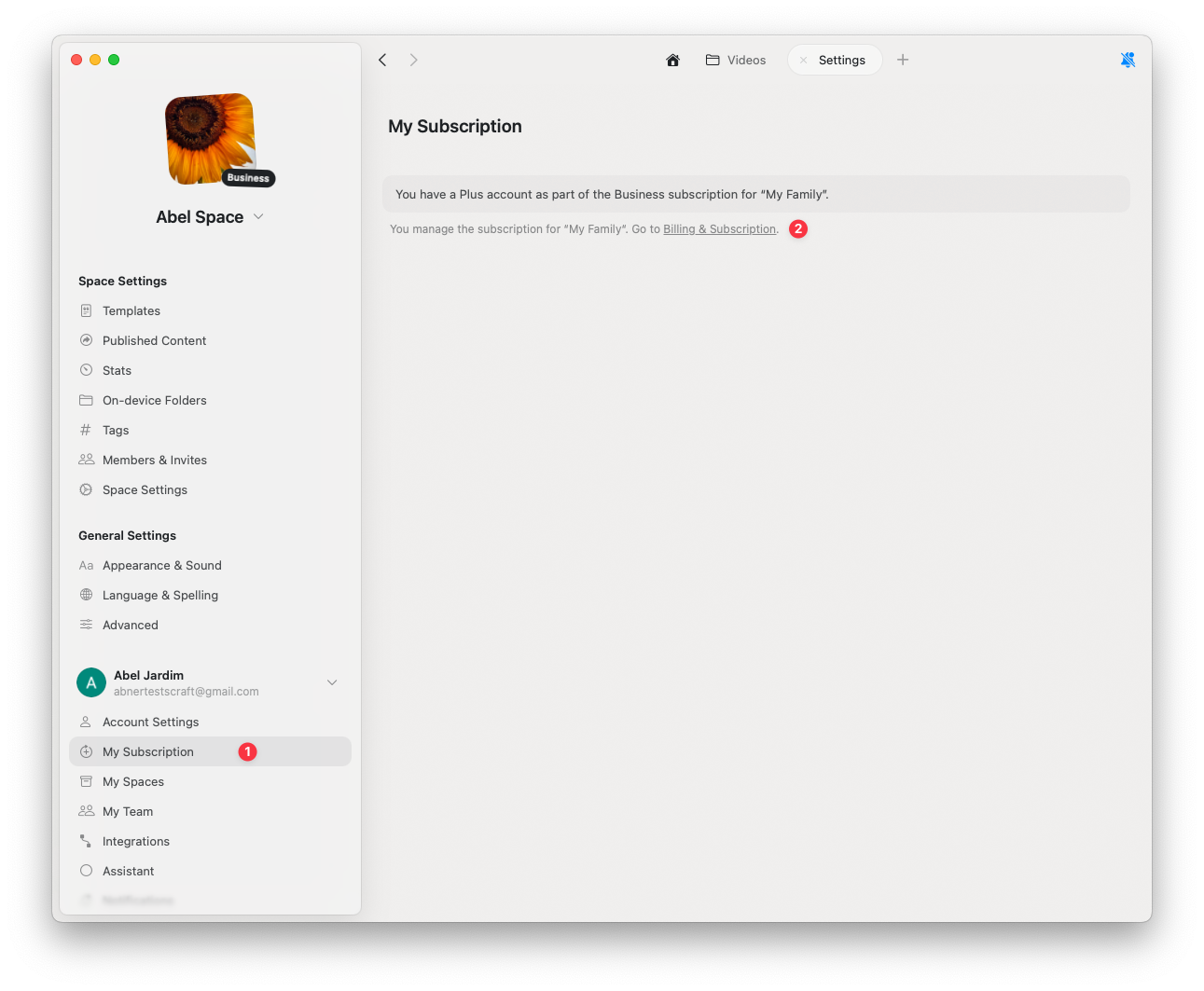
    前往 **設定**
  </Step>

  <Step>
    點擊 **我的訂閱**
  </Step>

  <Step>
    點擊 **帳單與訂閱**
  </Step>
</Steps>

<img src="https://mintcdn.com/craft-support/bXGV3J9qfsAQZqJz/images/account-and-subscription/billing/update-payment-method/en/content/billing-settings.png?fit=max&auto=format&n=bXGV3J9qfsAQZqJz&q=85&s=352b9daca875f00336fc7a8e5c1cb17a" alt="帳單設定面板" width="1291" height="1063" data-path="images/account-and-subscription/billing/update-payment-method/en/content/billing-settings.png" />

<Steps>
  <Step>
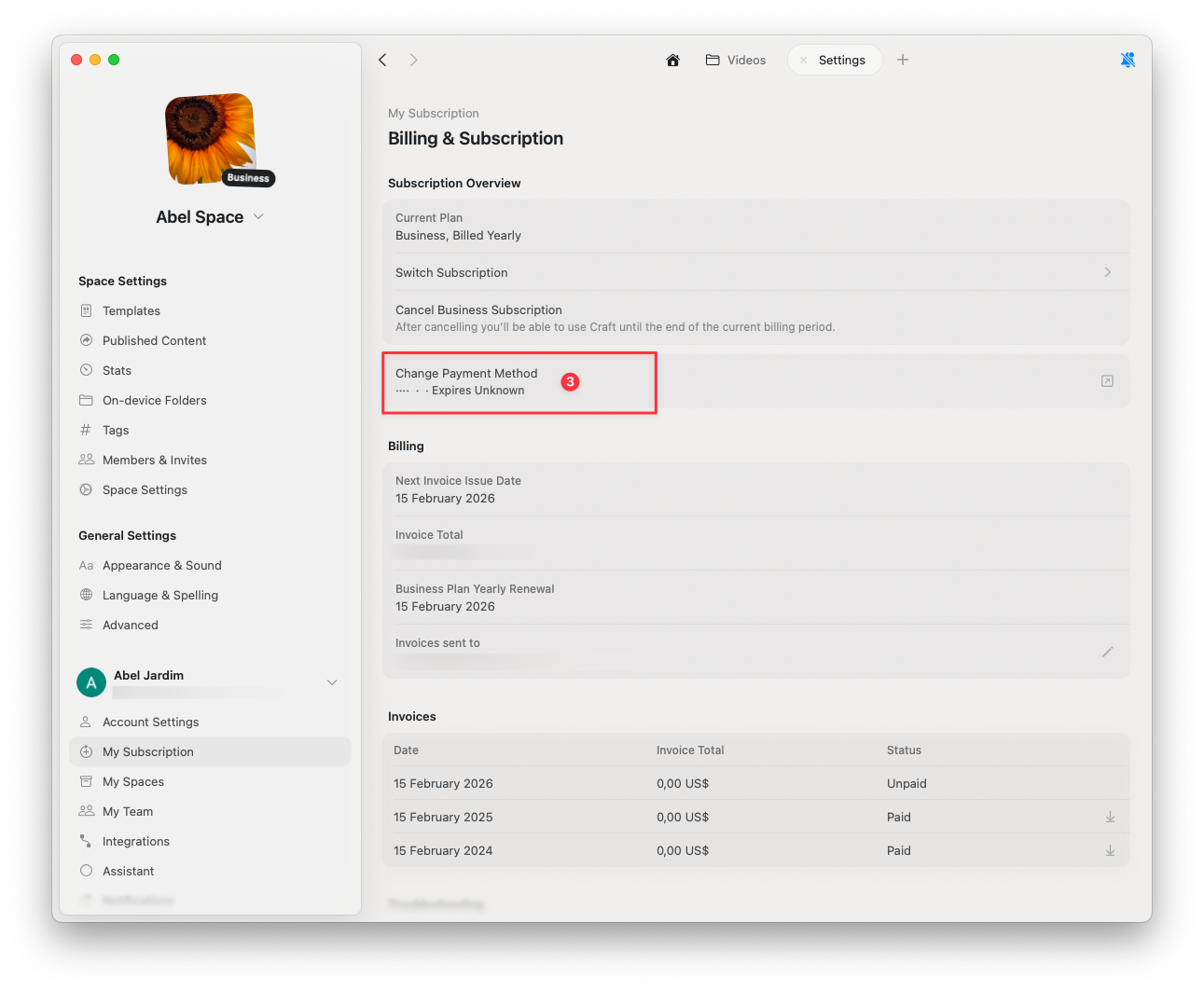
    選取 **變更付款方式**
  </Step>

  <Step>
    在開啟的安全瀏覽器頁面中，輸入您更新後的付款資訊
  </Step>
</Steps>

<img src="https://mintcdn.com/craft-support/bXGV3J9qfsAQZqJz/images/account-and-subscription/billing/update-payment-method/en/content/change-payment-method.png?fit=max&auto=format&n=bXGV3J9qfsAQZqJz&q=85&s=e5be1fa6865319824f05faf56599cee9" alt="變更付款方式選項" width="1291" height="1063" data-path="images/account-and-subscription/billing/update-payment-method/en/content/change-payment-method.png" />

完成後，您的變更會自動儲存。

## 相關文章

<CardGroup cols={2}>
  <Card title="付款方式指南" href="/zh-Hant/account-and-subscription/billing/payment-methods">
    了解 Stripe、Paddle 與 App Store 的付款方式
  </Card>

  <Card title="取消訂閱" href="/zh-Hant/account-and-subscription/billing/cancel-subscription">
    取消您的 Craft 訂閱，同時保留所有資料
  </Card>

  <Card title="增值稅資訊" href="/zh-Hant/account-and-subscription/billing/vat-information">
    在您的帳單收據中加入增值稅資訊
  </Card>
</CardGroup>