> ## Documentation Index
> Fetch the complete documentation index at: https://craft-support.mintlify.site/llms.txt
> Use this file to discover all available pages before exploring further.
# 重新排列字段和列
> 自定义 Collection 字段和列在不同视图中的显示方式。
通过自定义字段和列的显示方式来保持 Collections 的有序整理。您可以控制 Collection 中的**字段默认顺序**以及**特定视图中的列顺序**。
## 重新排列 Collection 中的字段
更改字段顺序会影响**单个项目页面**上的显示方式,并为所有新视图设置**默认顺序**。
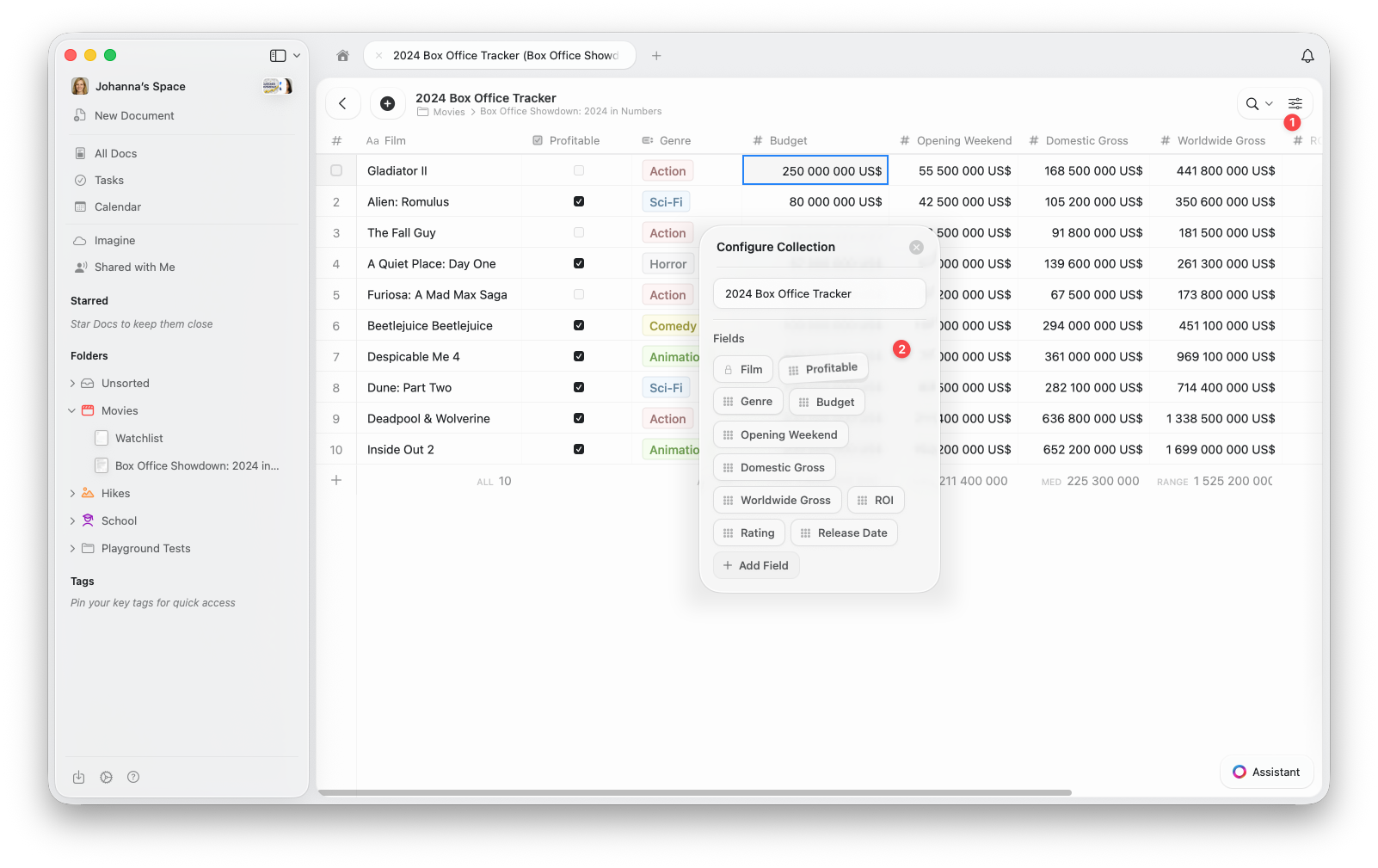 打开 Collection 顶部的配置菜单 **(⋯)**
从菜单中选择**配置 Collection**
在配置 Collection 窗口中,**拖放**字段以重新排列。您还可以在此添加新字段或删除现有字段。
新的顺序将自动应用于 Collection 中的所有项目以及您创建的任何新视图。
## 重新排列视图中的列
您还可以为**特定视图**重新排列列。这使您可以灵活地自定义显示内容和排列方式,而无需更改 Collection 的默认字段顺序。
打开配置菜单 **(⋯)**
选择**显示/隐藏字段**
**拖放**字段以按您的需要重新排列列。您可以在此切换要在视图中显示的字段。
打开 Collection 顶部的配置菜单 **(⋯)**
从菜单中选择**配置 Collection**
在配置 Collection 窗口中,**拖放**字段以重新排列。您还可以在此添加新字段或删除现有字段。
新的顺序将自动应用于 Collection 中的所有项目以及您创建的任何新视图。
## 重新排列视图中的列
您还可以为**特定视图**重新排列列。这使您可以灵活地自定义显示内容和排列方式,而无需更改 Collection 的默认字段顺序。
打开配置菜单 **(⋯)**
选择**显示/隐藏字段**
**拖放**字段以按您的需要重新排列列。您可以在此切换要在视图中显示的字段。
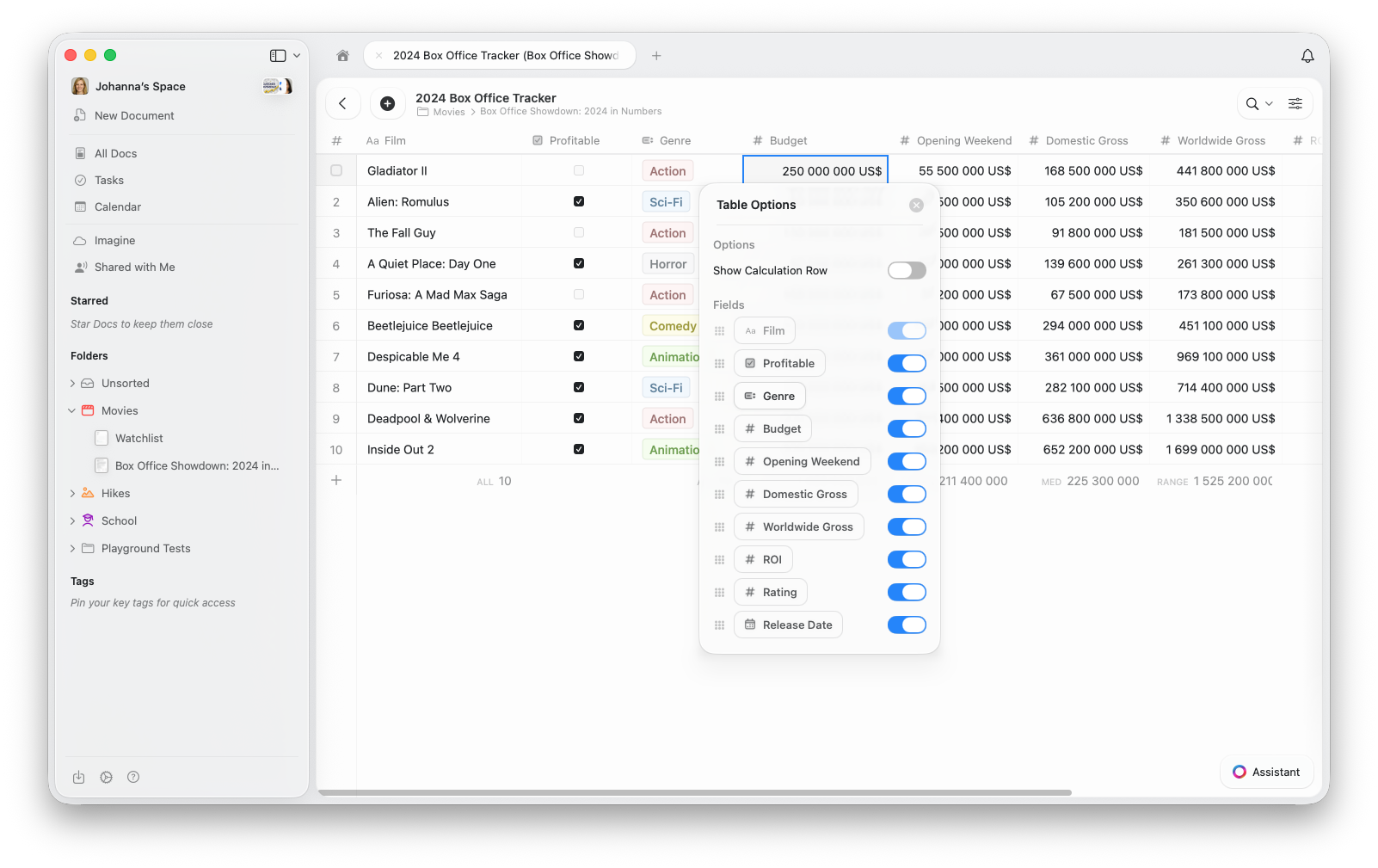 此操作仅更改当前视图的布局——您的默认字段顺序和其他视图保持不变。
在画廊视图中,字段可见性控制每张卡片上显示的属性。"显示/隐藏字段"中的顺序决定了每张卡片上的显示顺序。
使用**字段重新排列**在整个 Collection 中创建一致的结构,使用**列重新排列**为特定视图创建自定义布局。
## 相关文章
了解 Collection 视图中的排序、筛选和分组
将您的 Collection 显示为带有图片预览的可视化卡片
了解 Craft Collections 和字段类型
此操作仅更改当前视图的布局——您的默认字段顺序和其他视图保持不变。
在画廊视图中,字段可见性控制每张卡片上显示的属性。"显示/隐藏字段"中的顺序决定了每张卡片上的显示顺序。
使用**字段重新排列**在整个 Collection 中创建一致的结构,使用**列重新排列**为特定视图创建自定义布局。
## 相关文章
了解 Collection 视图中的排序、筛选和分组
将您的 Collection 显示为带有图片预览的可视化卡片
了解 Craft Collections 和字段类型