> ## Documentation Index
> Fetch the complete documentation index at: https://craft-support.mintlify.site/llms.txt
> Use this file to discover all available pages before exploring further.

# 更改邮箱地址

> 更新与您的 Craft 帐户关联的邮箱地址。

您可以在 Craft 的账户设置中更改与您的 Craft 账户关联的邮箱地址。

## 更改您的邮箱

<Tabs>
  <Tab title="Mac">
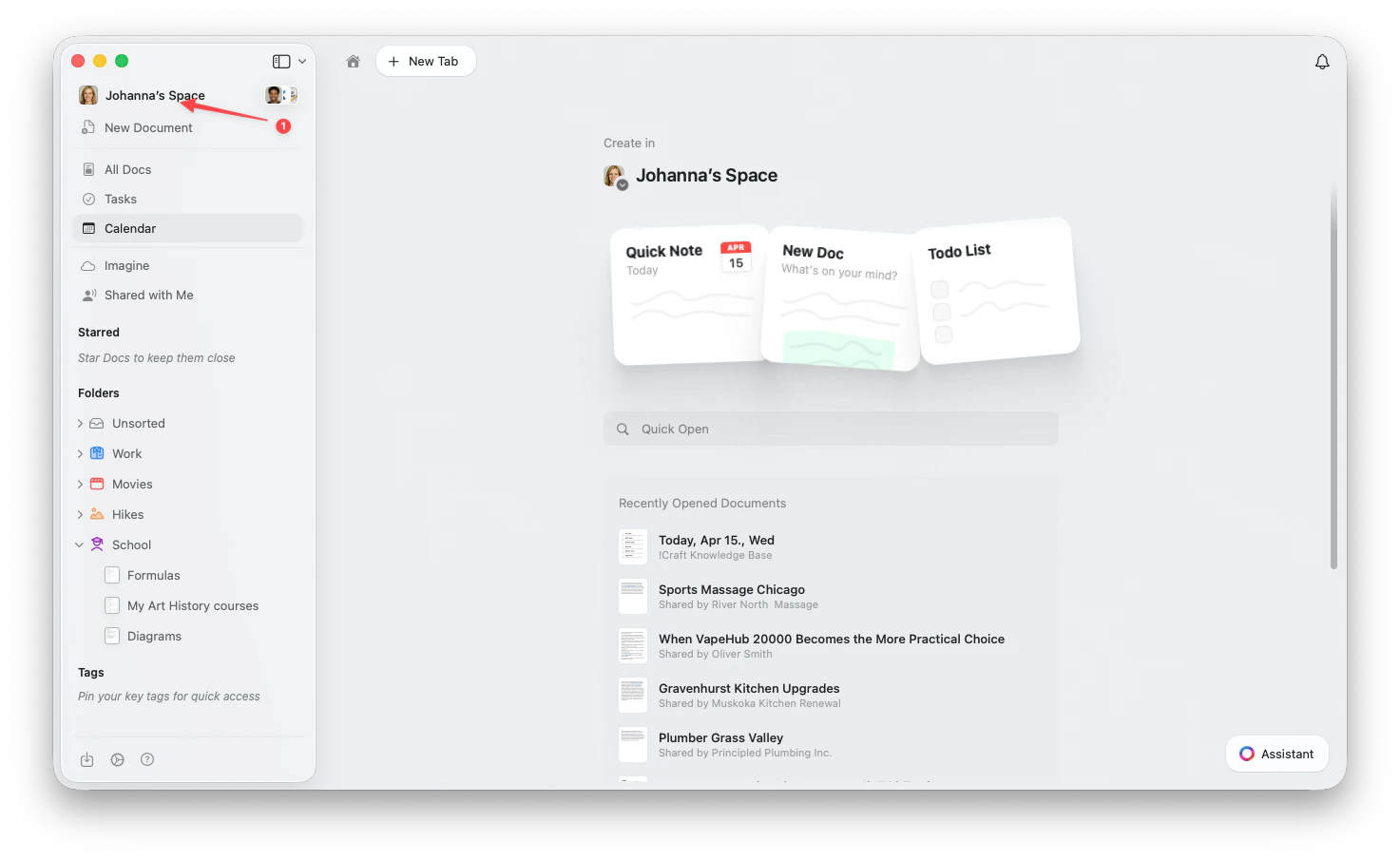
    点击侧边栏顶部的**空间名称**以打开设置。

    <Frame>
      <img src="https://mintcdn.com/craft-support/uCmTok0gNp17u6Tw/images/snippets/open-settings/en/content/mac-space-name.png?fit=max&auto=format&n=uCmTok0gNp17u6Tw&q=85&s=b2a80ae0eb9e67d830298c30f3046f02" alt="点击侧边栏中的空间名称" width="1473" height="905" data-path="images/snippets/open-settings/en/content/mac-space-name.png" />
    </Frame>
  </Tab>

  <Tab title="Web / Windows">
    <Steps>
      <Step title="打开空间下拉菜单">
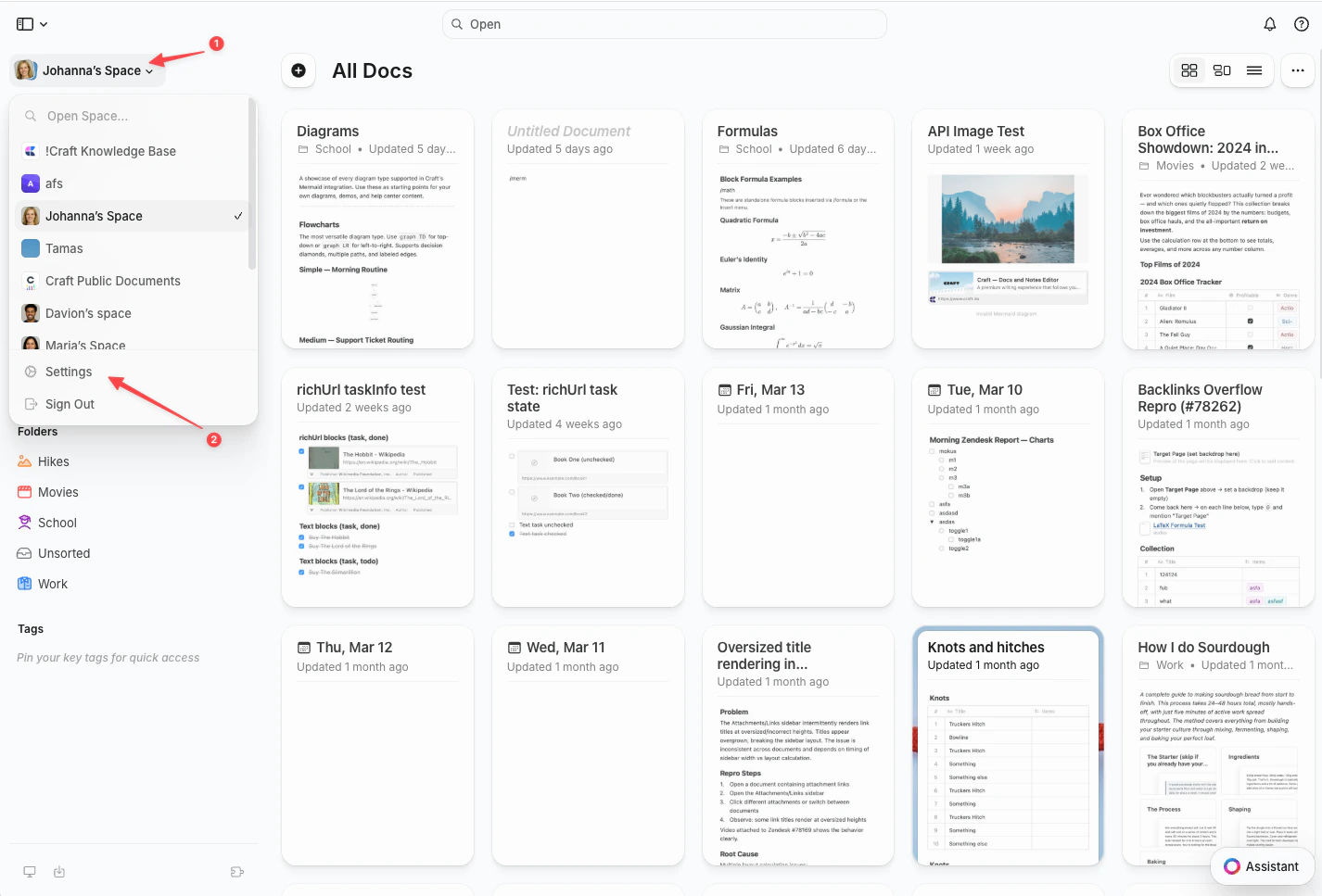
        点击左上角的**空间名称**。
      </Step>

      <Step title="选择设置">
        点击下拉菜单底部的**设置**。

        <Frame>
          <img src="https://mintcdn.com/craft-support/uCmTok0gNp17u6Tw/images/snippets/open-settings/en/content/web-space-dropdown.png?fit=max&auto=format&n=uCmTok0gNp17u6Tw&q=85&s=8fe2f1b7ca147ccd7de2d4851d2857e1" alt="包含设置选项的空间下拉菜单" width="1426" height="967" data-path="images/snippets/open-settings/en/content/web-space-dropdown.png" />
        </Frame>
      </Step>
    </Steps>
  </Tab>

  <Tab title="iOS">
    <Steps>
      <Step title="点按空间图标">
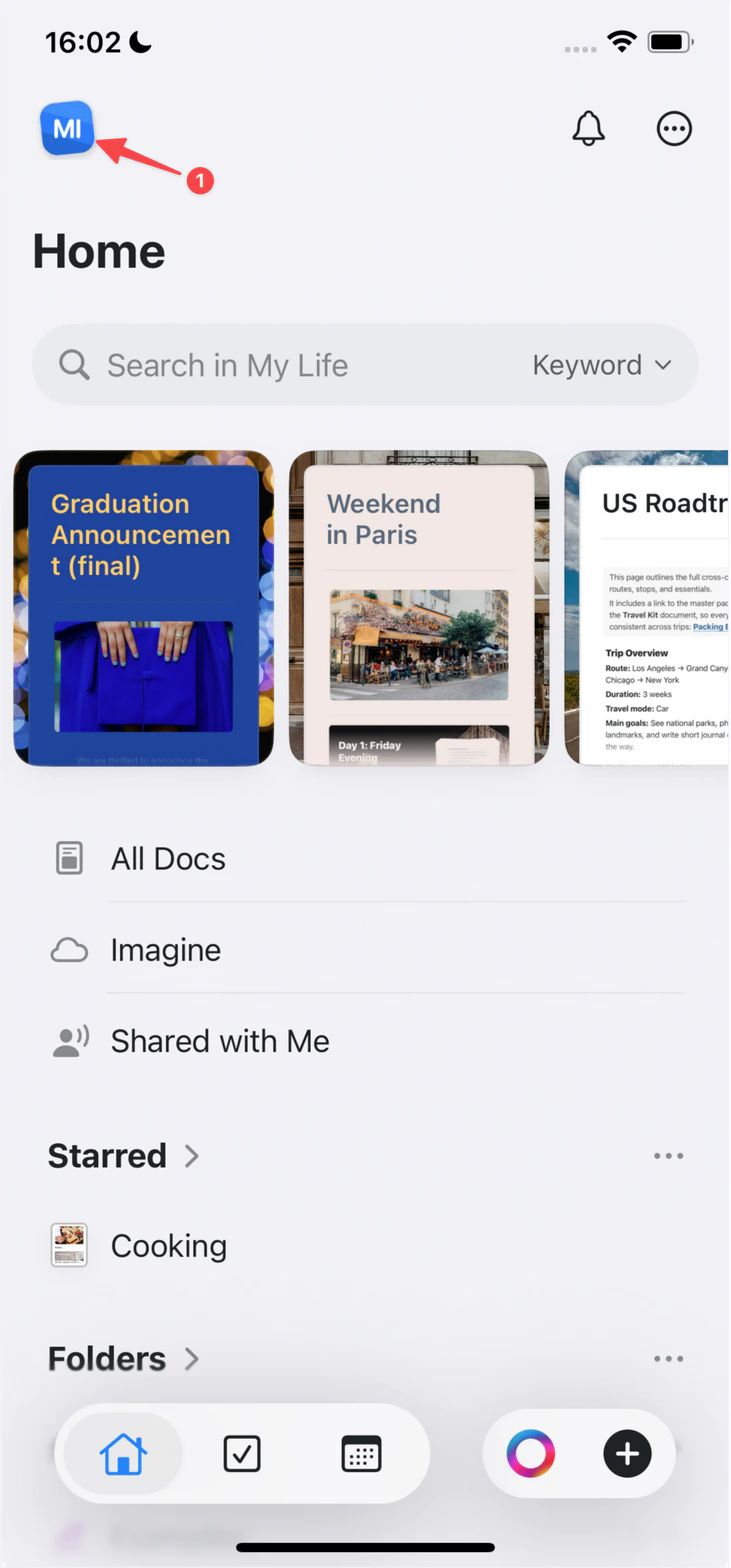
        点按左上角的**空间图标**。

        <Frame>
          <img src="https://mintcdn.com/craft-support/uCmTok0gNp17u6Tw/images/snippets/open-settings/en/content/ios-space-icon.png?fit=max&auto=format&n=uCmTok0gNp17u6Tw&q=85&s=82ed814971491d12743fb924294f595a" alt="左上角的空间图标" width="731" height="1568" data-path="images/snippets/open-settings/en/content/ios-space-icon.png" />
        </Frame>
      </Step>

      <Step title="打开设置">
        点按**设置**。
      </Step>
    </Steps>
  </Tab>

  <Tab title="Android">
    <Steps>
      <Step title="点按您的头像">
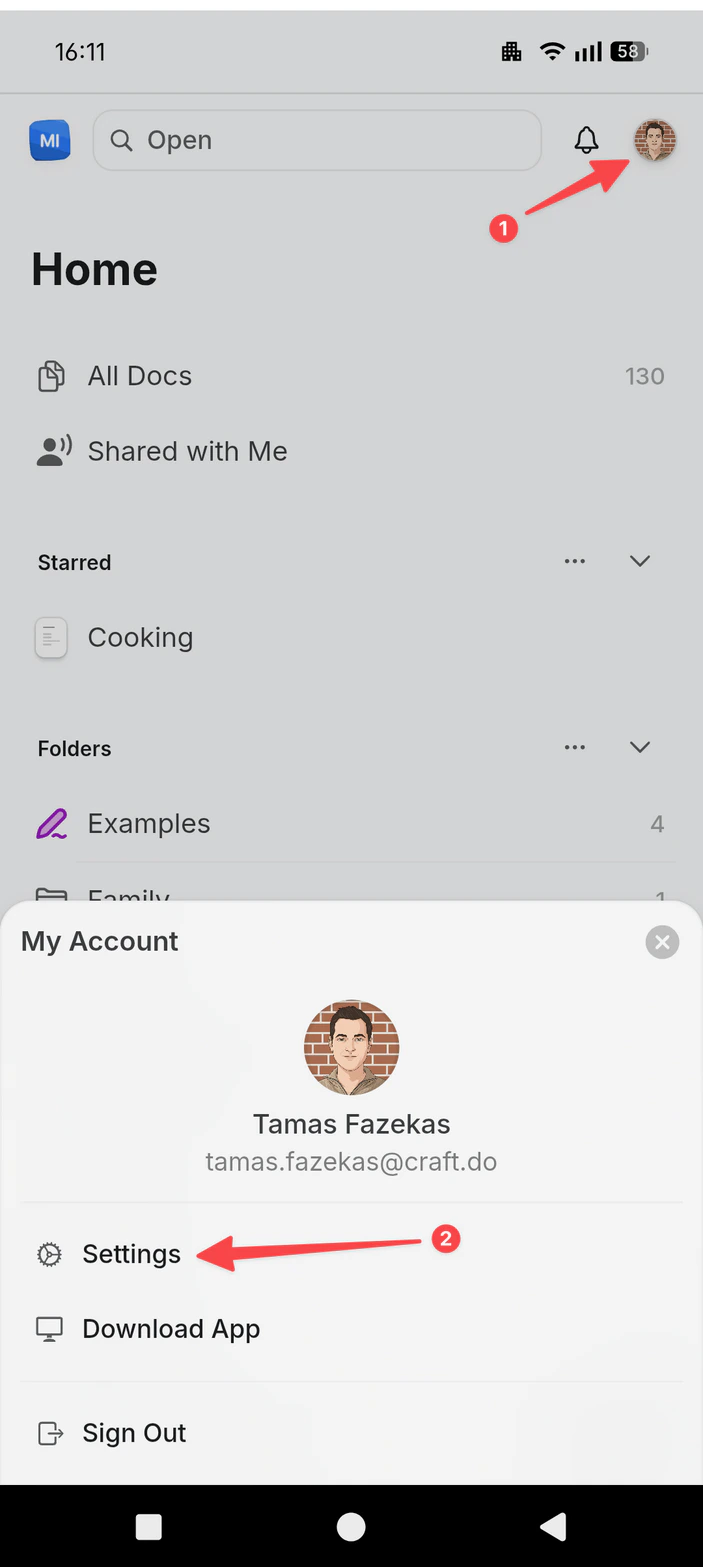
        点按右上角的**头像**。
      </Step>

      <Step title="打开设置">
        点按**设置**。

        <Frame>
          <img src="https://mintcdn.com/craft-support/uCmTok0gNp17u6Tw/images/snippets/open-settings/en/content/android-profile-menu.png?fit=max&auto=format&n=uCmTok0gNp17u6Tw&q=85&s=04626672ba7545613f9b039a5d363698" alt="包含设置选项的个人资料菜单" width="703" height="1567" data-path="images/snippets/open-settings/en/content/android-profile-menu.png" />
        </Frame>
      </Step>
    </Steps>
  </Tab>
</Tabs>

<Steps>
  <Step>
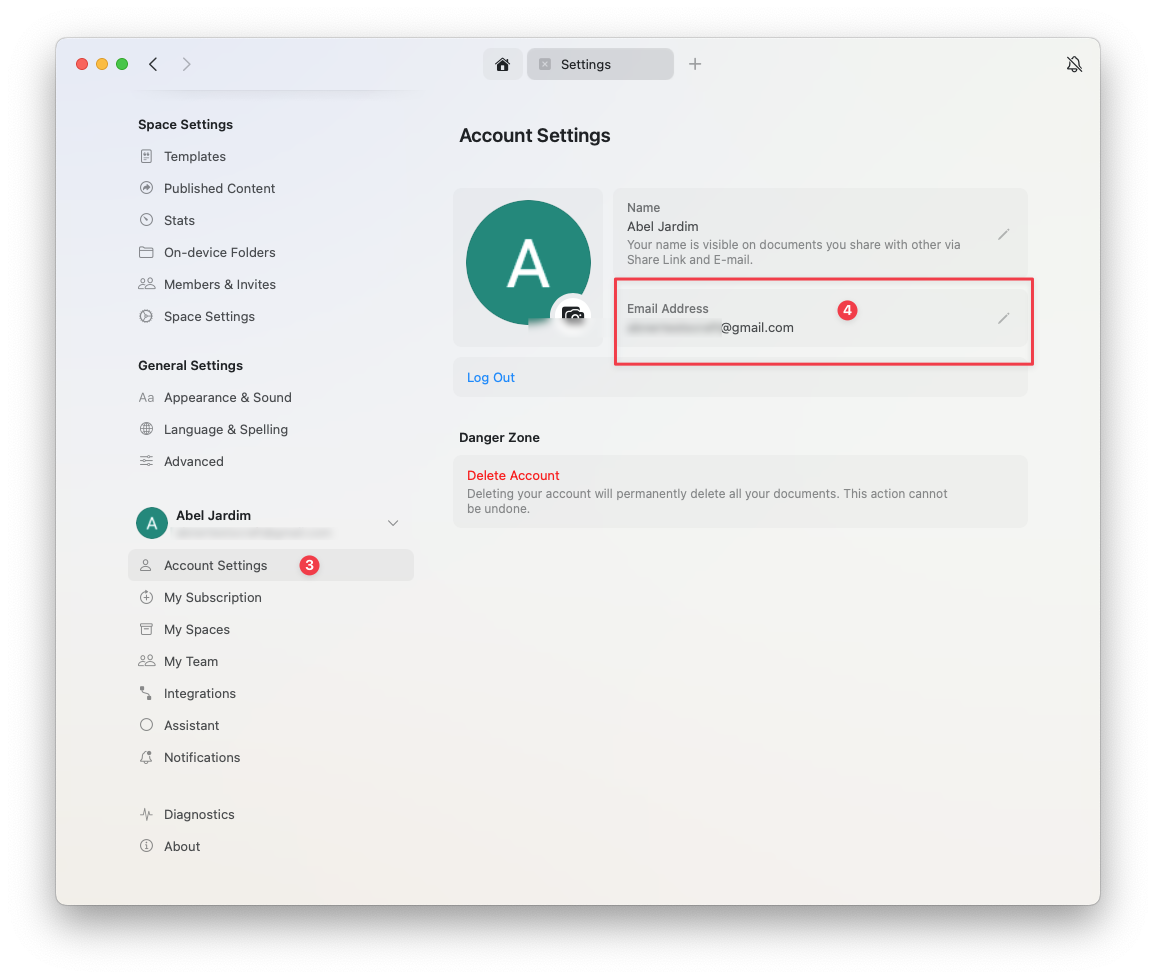
    进入 **账户设置**
  </Step>

  <Step>
    在邮箱字段中点击 **更改邮箱**
  </Step>
</Steps>

<img src="https://mintcdn.com/craft-support/bXGV3J9qfsAQZqJz/images/account-and-subscription/profile-settings/change-email-address/en/content/email-change-field.png?fit=max&auto=format&n=bXGV3J9qfsAQZqJz&q=85&s=734d5457c8835f762f333d920e42d8f0" alt="更改邮箱字段" width="1156" height="979" data-path="images/account-and-subscription/profile-settings/change-email-address/en/content/email-change-field.png" />

## 无法更改邮箱

<Warning title="邮箱已被占用">
  您只能将账户邮箱更改为当前未被用于 Craft 账户的邮箱地址。
</Warning>

### 如果该邮箱已被使用

如果您需要使用已关联到其他 Craft 账户的邮箱：

<Steps>
  <Step>
    删除使用该邮箱的账户（转到 **设置** → **我的账户** → **删除账户**）
  </Step>

  <Step>
    删除后，该邮箱将可用于您保留的账户
  </Step>

  <Step>
    在您要使用的账户中更改邮箱（**设置** → **我的账户** → **更改邮箱**）
  </Step>
</Steps>

<Danger title="重要">
  删除账户将永久删除该账户中的所有文档。请在删除前备份任何重要数据。
</Danger>