> ## Documentation Index
> Fetch the complete documentation index at: https://craft-support.mintlify.site/llms.txt
> Use this file to discover all available pages before exploring further.
# Discount Codes
> Apply promotional discount codes to new Craft subscriptions.
Craft occasionally offers discounts and promotions. Discount codes are only applicable to **new subscriptions and upgrades** purchased through [Craft's website](https://www.craft.do/pricing) or the in-app upgrade screen.
* Discounts are **only valid for new subscriptions and upgrades**
* They **cannot be applied to existing subscriptions or renewals**
* Discounts are **time-limited** -- use your code before it expires
* **App Store subscriptions do not support discount codes** -- App Store purchases are handled entirely by Apple, and Craft cannot apply discounts to them. To use a discount code, subscribe through [Craft's website](https://www.craft.do/pricing) instead
## Automatic Discounts
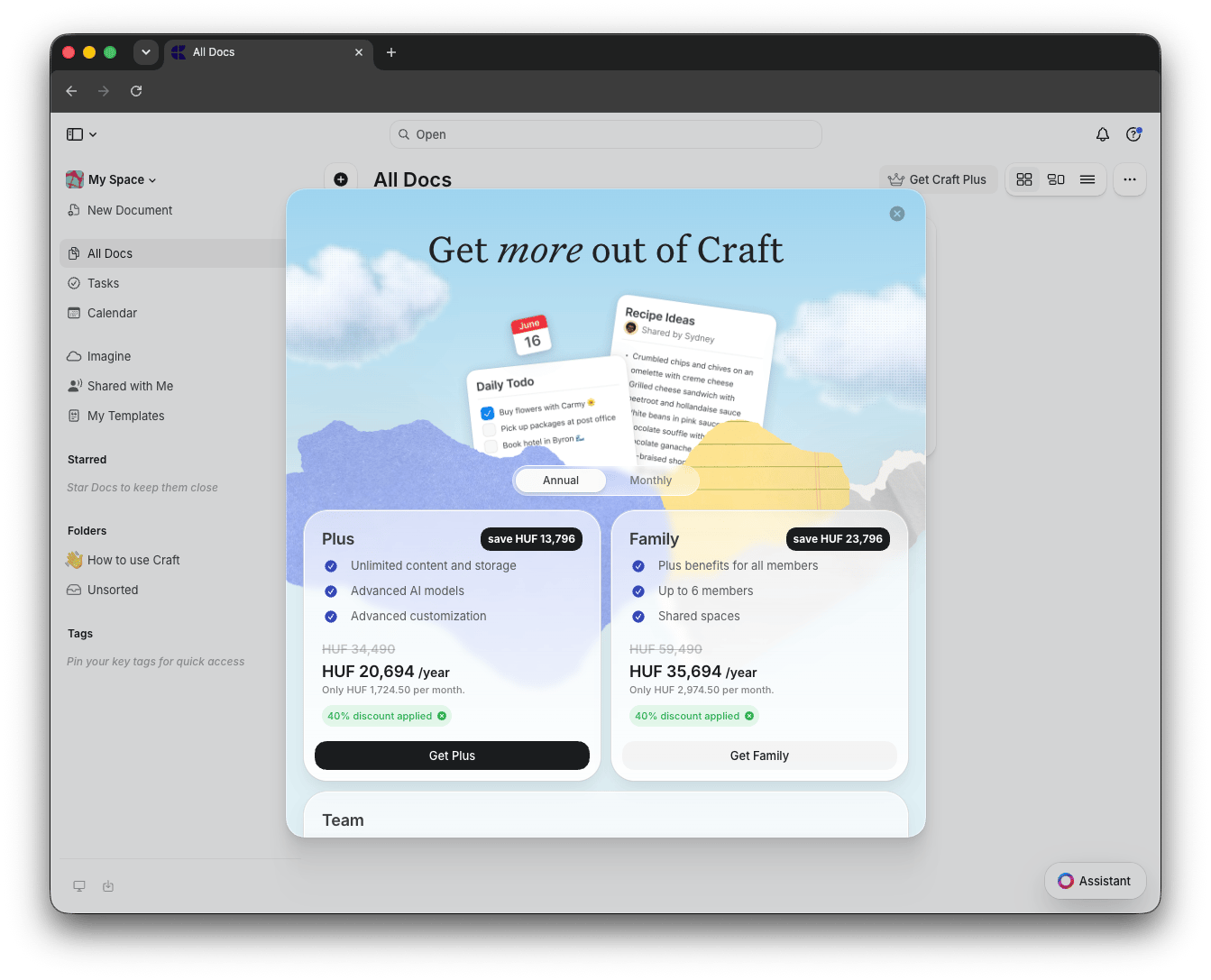
When a promotion is active, the discount is **automatically applied** to all available plans on the pricing page. You will see the discounted price and a label such as "40% discount applied" before you subscribe.
 ## Apply a Different Discount Code
If you have a specific promotion code that differs from the automatically applied discount, you can replace it:
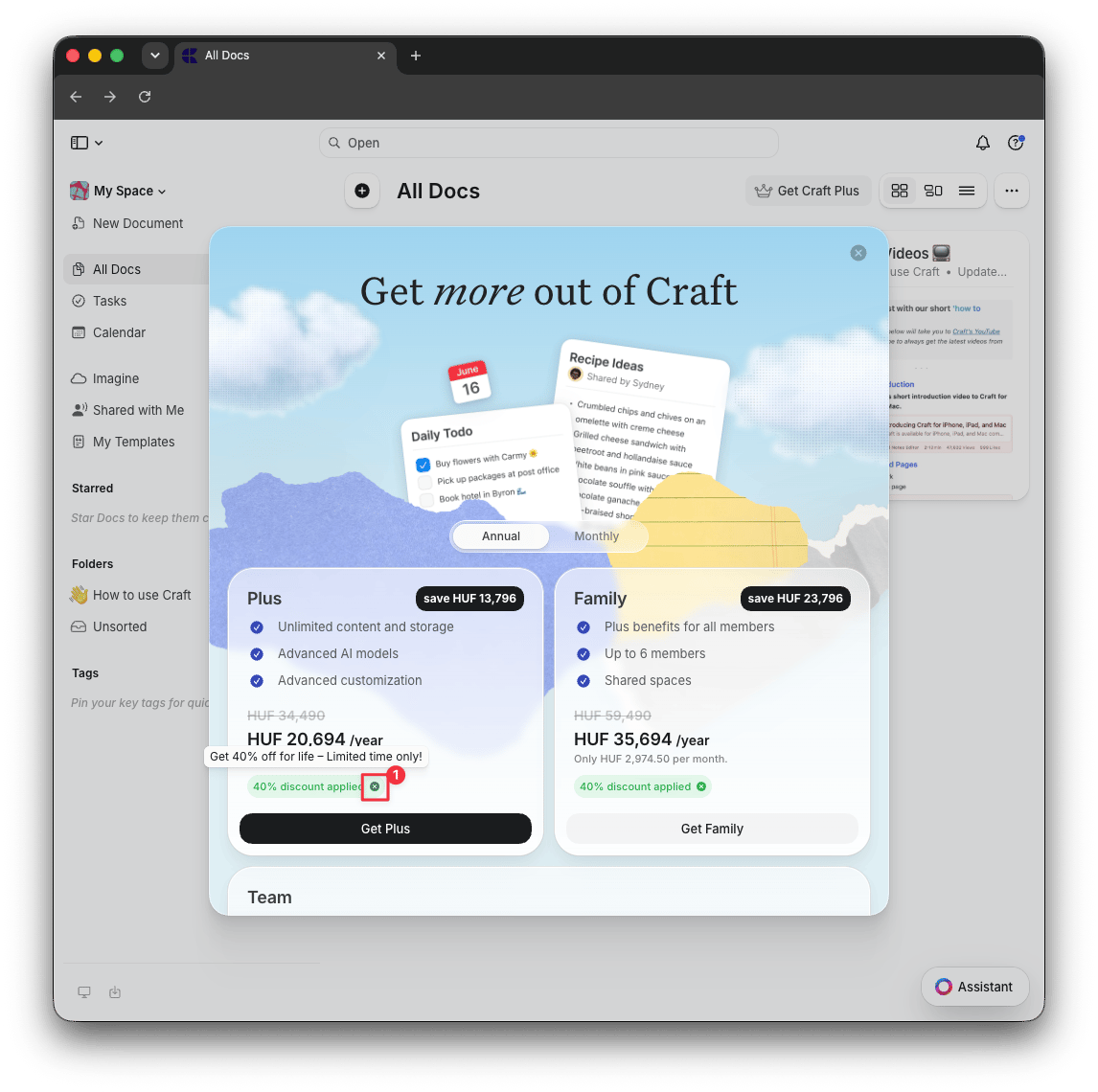
On the pricing page, click the **X** button next to the "discount applied" label to remove the auto-applied discount
Click **Get Plus**, **Get Family**, or **Get Team** to open the checkout page
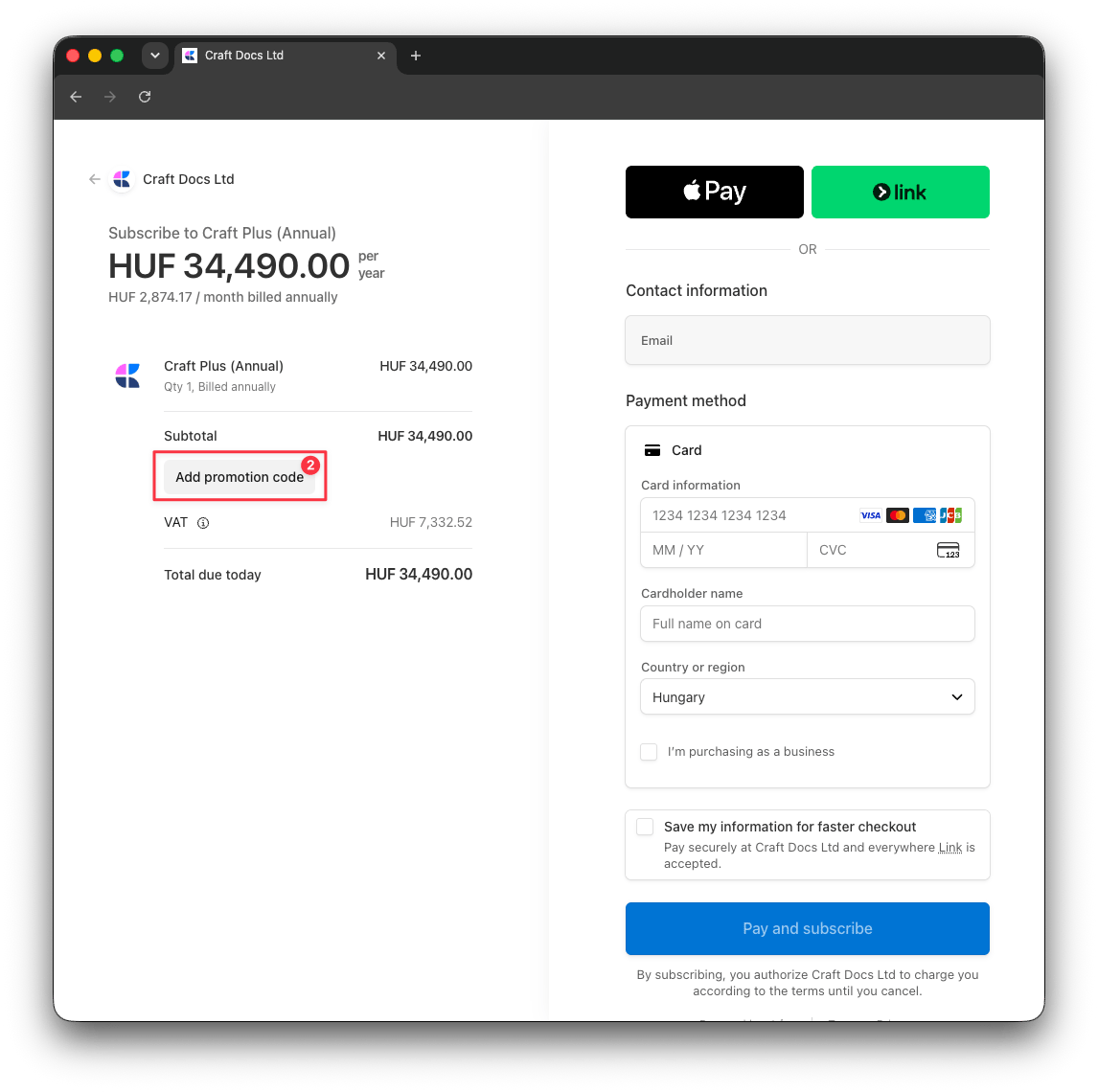
Click **Add promotion code**, enter your discount code, and the new discount will be reflected in the total
## Apply a Different Discount Code
If you have a specific promotion code that differs from the automatically applied discount, you can replace it:
On the pricing page, click the **X** button next to the "discount applied" label to remove the auto-applied discount
Click **Get Plus**, **Get Family**, or **Get Team** to open the checkout page
Click **Add promotion code**, enter your discount code, and the new discount will be reflected in the total
 ## Related Articles
Compare Craft's subscription tiers and features
Get special pricing for students and educators
Transition from App Store to web subscription
## Related Articles
Compare Craft's subscription tiers and features
Get special pricing for students and educators
Transition from App Store to web subscription